Resuming paused applications on macOS
I have a penchant for having way too many tabs of Chrome open, and even though I keep buying more RAM
1
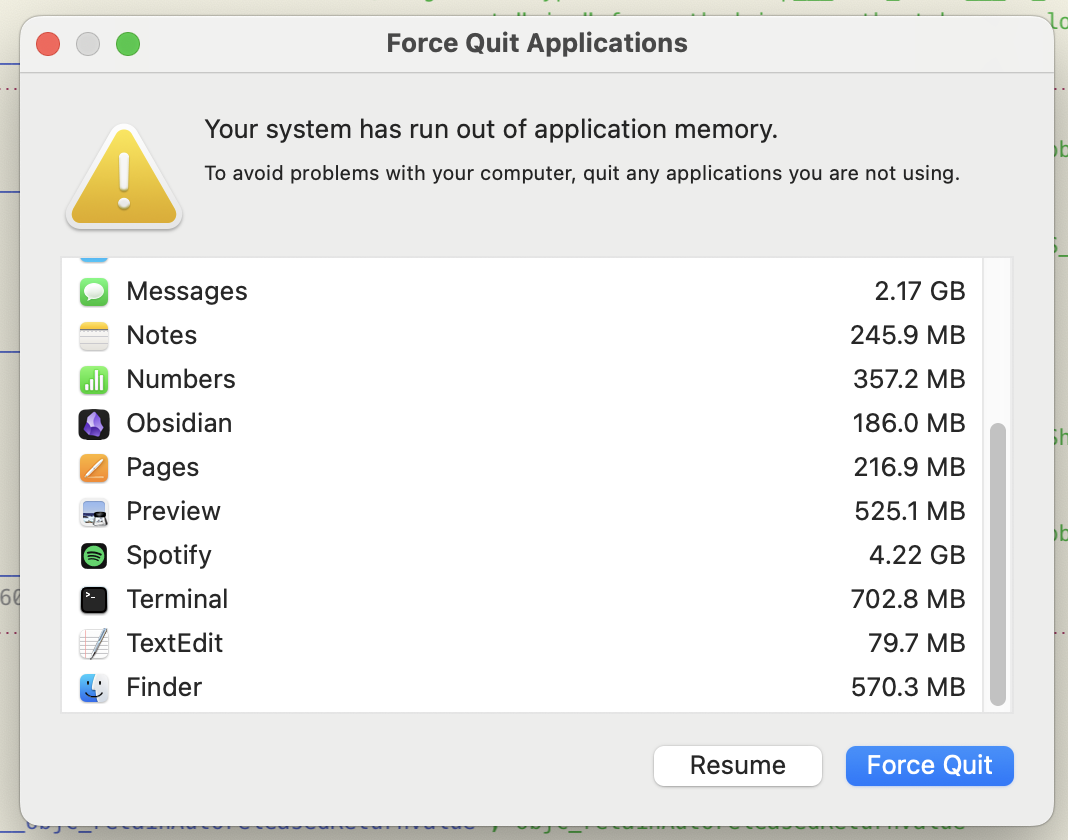
Well, not anymore. Thanks Sam and Dario and Sundar and Mark and ... 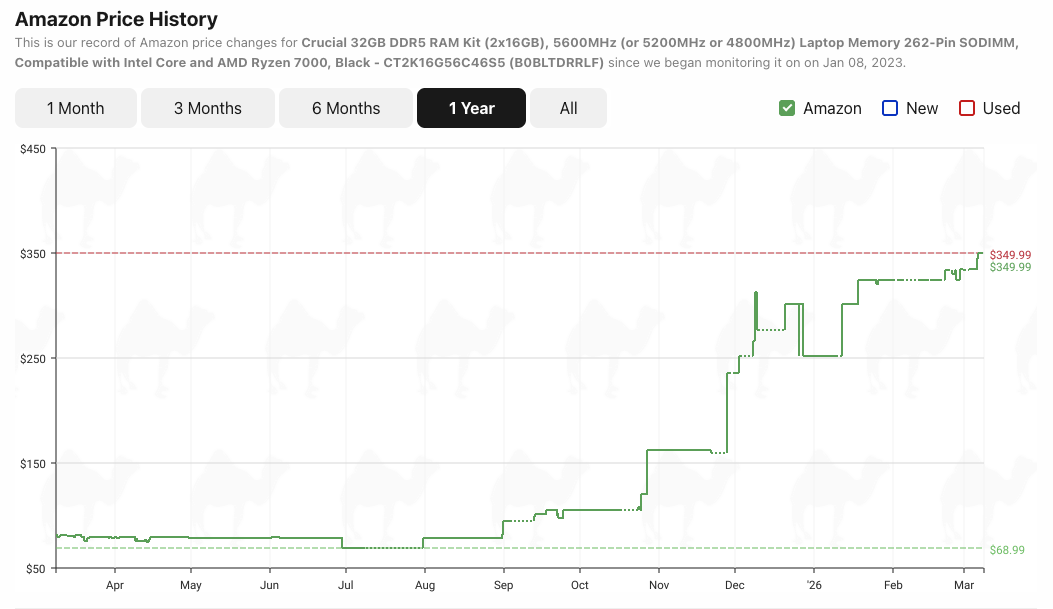 I'm occasionally still forced to interact with a screen informing me that I have run out of memory.
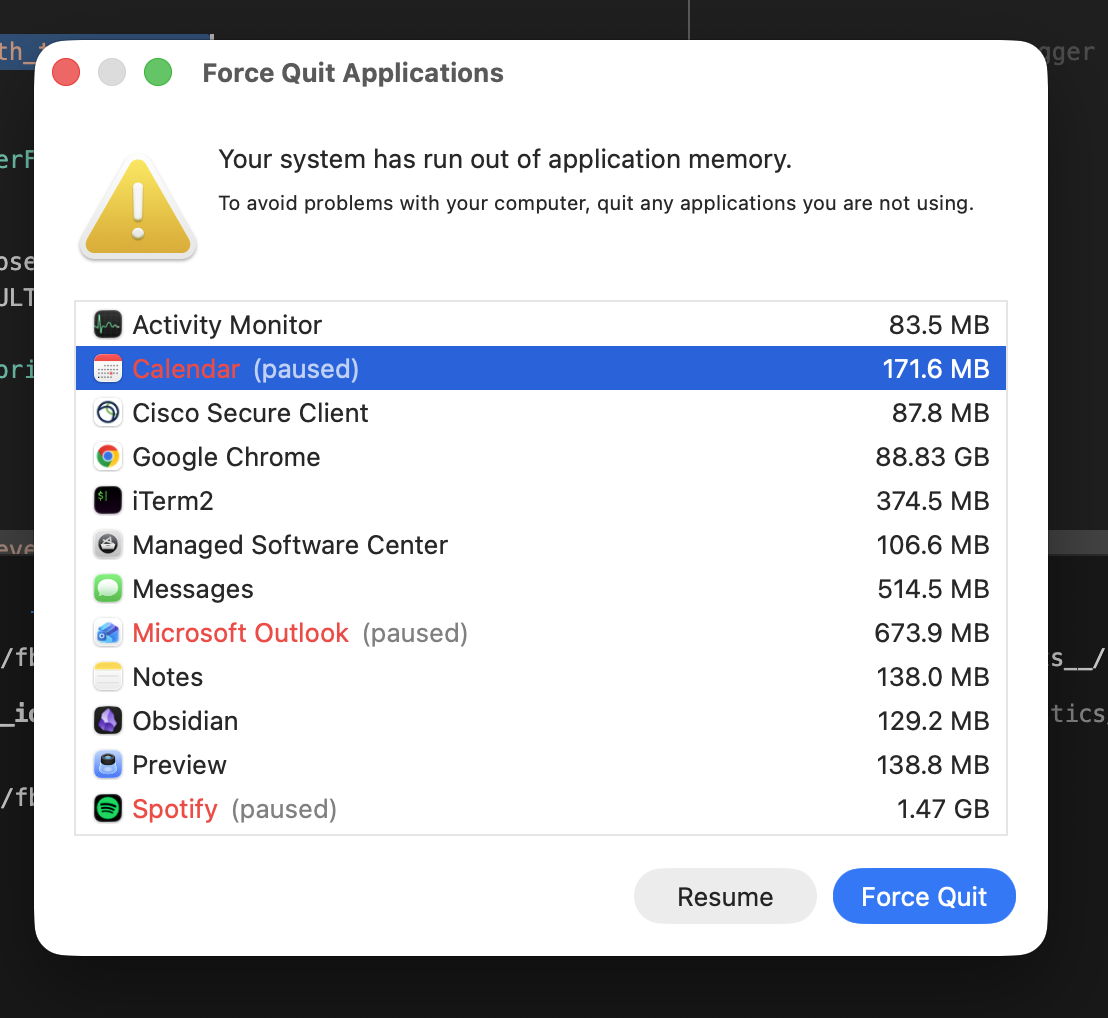
Usually what I do in this case is go into the Chrome Task Manager 2 It’s always Chrome. and sort by Memory Footprint, killing the tabs that have inevitably developed a memory leak in the months I've kept them open. 3 This is as close as I'll get to accepting responsibility. By this point macOS has helpfully suspended other applications, and I have to go through and manually resume them. But if you’re trying to kill some applications and by muscle-memory hit Cmd+Shift+Esc the screen goes away, replaced by the normal "Force Quit Applications". What then? How do I resume the paused applications?
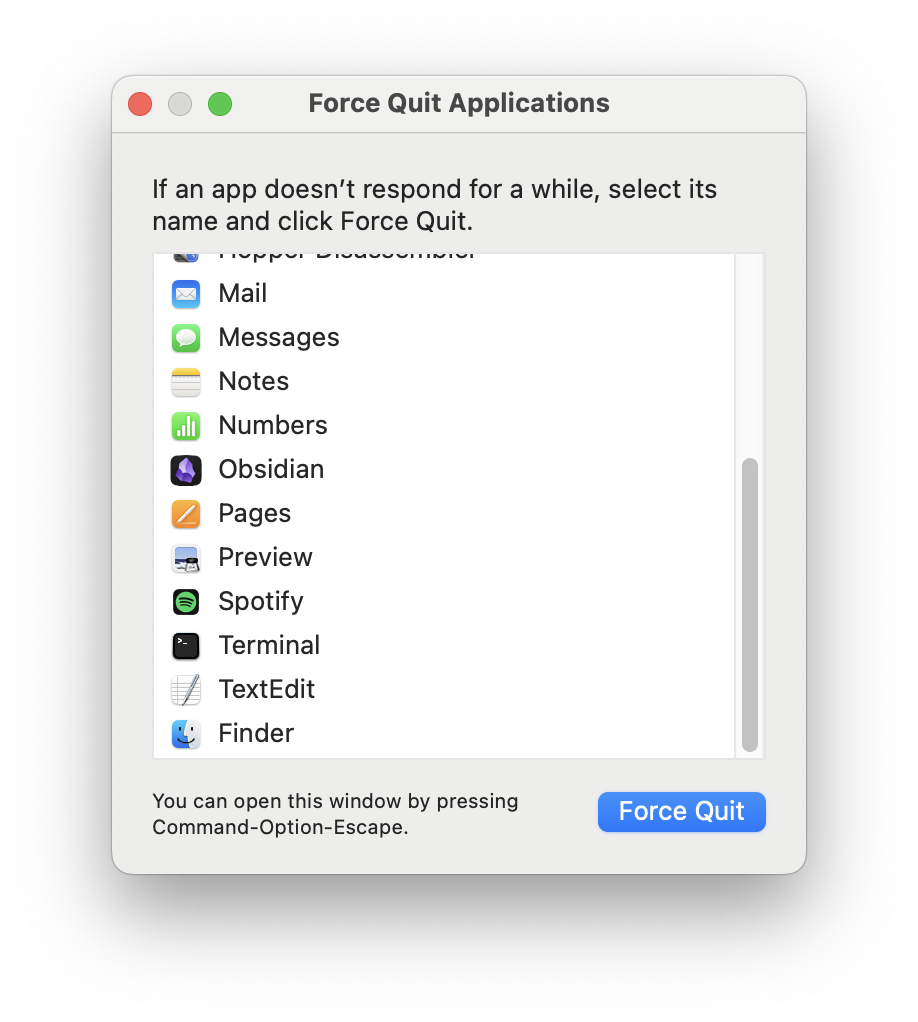
The easy way
While macOS helpfully provides a UI for this, underneath the hood it's all process management. You can run ps -ax -o pid= | xargs kill -CONT to send a CONT or "continue" signal to resume every running application.
4
ps -ax -o pid= prints out the PIDs (Process Identifier) for every application, and xargs runs the command kill -CONT across the PIDs 'piped' through with | (named as such from 1964 analogies to garden hoses, though the syntax was originally proposed as >).
This is a no-op for non-paused/stopped jobs, so it's safe to run across everything. But that just solves my problem immediately — how boring. What if I want to reopen the low memory window?
The hard way
Let's see if we can reverse-engineer how it's shown and force it to happen again. 5 Specifically without running out of memory 😅 We know that the window has the text "Your system has run out of application memory" so we can start by seeing where that's defined:
rg --text "Your system has run out of application memory" --files-with-matches /System /usr/lib /usr/libexec /Applications 2>/dev/null

/System/Library/CoreServices/loginwindow.app/Contents/Resources/LowMemoryPanel.loctable
/System/Library/CoreServices/loginwindow.app/Contents/Resources/Base.lproj/LowMemoryPanel.nib
This looks right, so we can load the /System/Library/CoreServices/loginwindow.app/Contents/MacOS/loginwindow binary into Hopper, the main decompiler I use. If we search for "LowMemoryPanel" within the labels we immediately see -[ProcessPanelController showLowMemoryPanel which should be exactly what we're looking for.
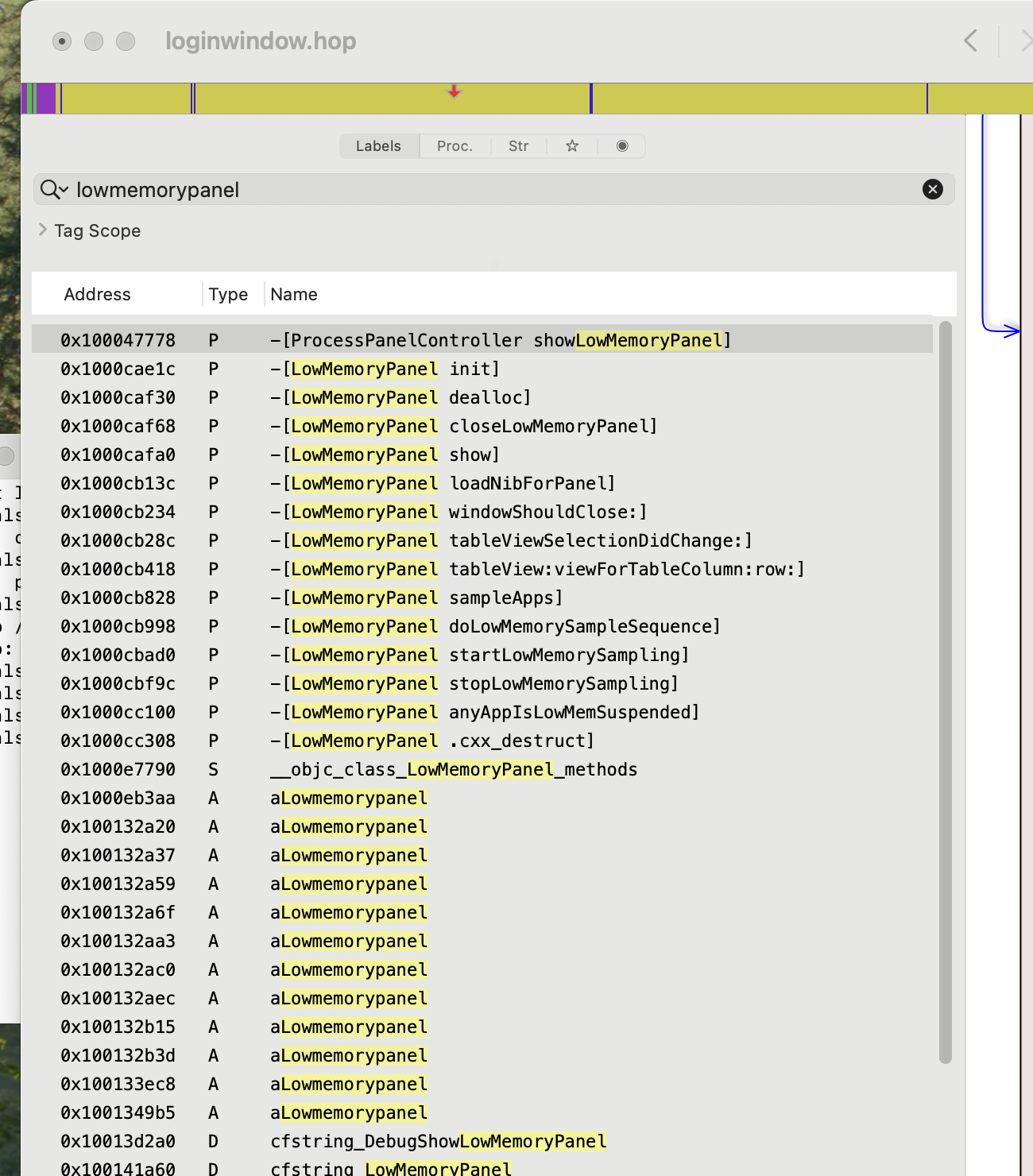
If we look at where that's called from (hover and press X) we find sub_1000e16a0 which is called in two places, -[ProcessPanelController showForceQuitPanel] and -[LWLowMemoryTracking receivedMemoryNotification].
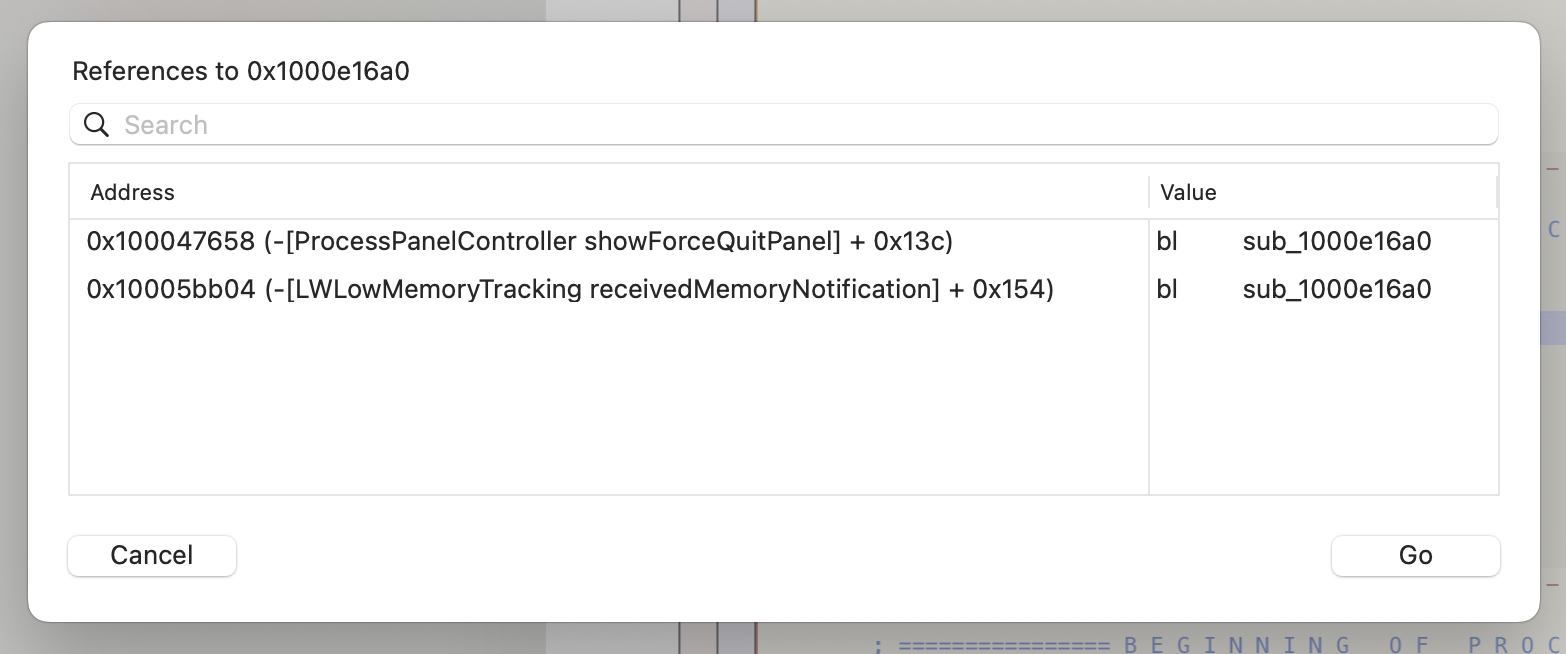
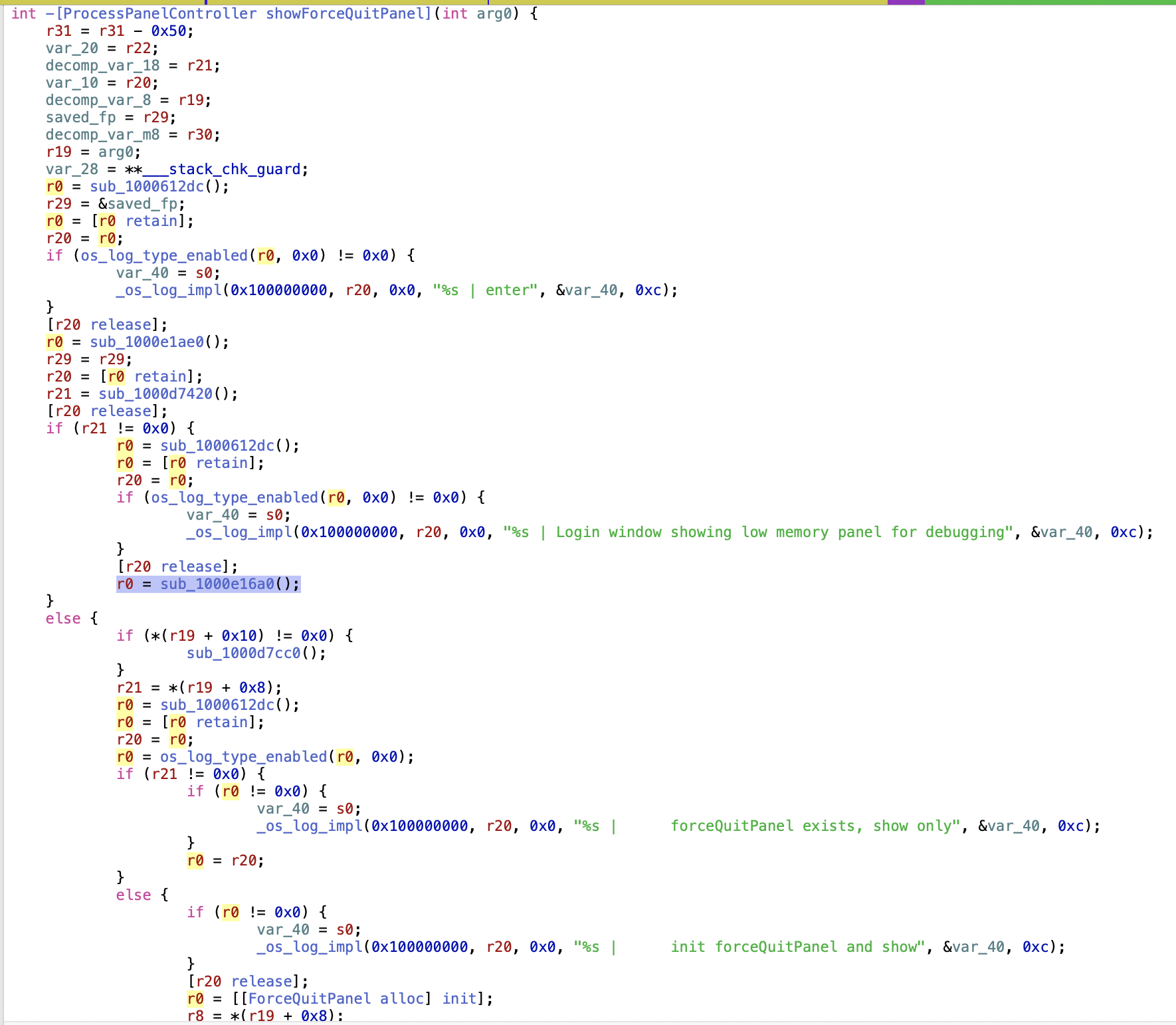
The latter is a callback created in -[LWLowMemoryTracking startLowMemoryMonitoring] which may be hard for us to directly trigger. But the showForceQuitPanel callpath is something that we can invoke with our shortcut, Cmd+Shift+Esc. Under what circumstances can that show the Low Memory view? Looking at the decompiled pseudocode for that function we can see that we're checking the variable r21 and if it's true
6
We're in assembly land, so nil/NULL or 0 or false are false, and anything else is true. In Python and other languages an empty string '' or empty array [] can also be "falsey", but there’s no equivalent at this low level.
we're invoking sub_1000e16a0() to show the Low Memory panel (otherwise we show the normal Force Quit panel).
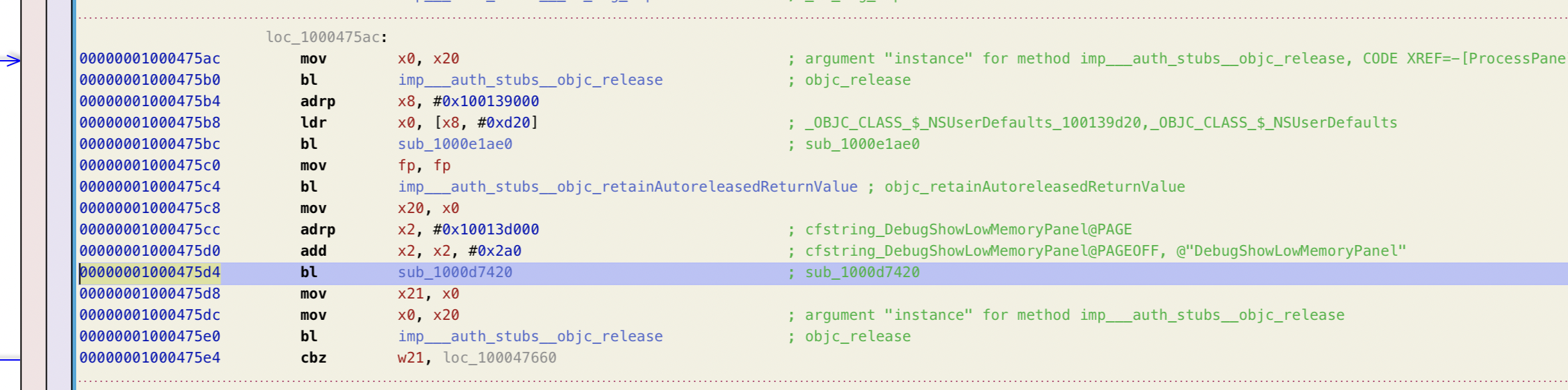
r21 is defined as a callout to sub_1000d7420() which is just invoking [r0 boolForKey:r2]. Going back to the raw assembly
7
Hopper's decompiled pseudocode implementation sometimes leaves a bit to be desired.
we can see that these are set to NSUserDefaults and @"DebugShowLowMemoryPanel" respectively.
8
cbz is the main check: "Compare and branch if zero"
Well, that's easy enough to set! sudo defaults write /Library/Preferences/com.apple.loginwindow DebugShowLowMemoryPanel -bool true
9
sudo defaults delete /Library/Preferences/com.apple.loginwindow DebugShowLowMemoryPanel to undo this after (and you'll need to run this to be able to use the Cmd+Shift+Esc workaround to get to a closable window).
and Cmd+Shift+Esc and voila, we're here without any paused tasks! As far as I can tell this is undocumented,
10
Google and GitHub had no search results and I only got hallucinations from ChatGPT.
and likely for Apple employees to be able to work on this screen without triggering it for real.
Time to get back to gobbling up RAM!
-
Well, not anymore. Thanks Sam and Dario and Sundar and Mark and ...
↩︎ -
It’s always Chrome. ↩︎
-
This is as close as I'll get to accepting responsibility. ↩︎
-
ps -ax -o pid=prints out the PIDs (Process Identifier) for every application, andxargsruns the commandkill -CONTacross the PIDs 'piped' through with|(named as such from 1964 analogies to garden hoses, though the syntax was originally proposed as>). ↩︎ -
Specifically without running out of memory 😅 ↩︎
-
We're in assembly land, so
nil/NULLor0orfalseare false, and anything else is true. In Python and other languages an empty string''or empty array[]can also be "falsey", but there’s no equivalent at this low level. ↩︎ -
Hopper's decompiled pseudocode implementation sometimes leaves a bit to be desired. ↩︎
-
cbzis the main check: "Compare and branch if zero" ↩︎ -
sudo defaults delete /Library/Preferences/com.apple.loginwindow DebugShowLowMemoryPanelto undo this after (and you'll need to run this to be able to use the Cmd+Shift+Esc workaround to get to a closable window). ↩︎ -
Google and GitHub had no search results and I only got hallucinations from ChatGPT. ↩︎