Downloading large photos from Flickr
I recently brought back Dog-a-Day which required me to source a bunch of high resolution Flickr photos. In the interim five years since when I was last doing this, Flickr has started limiting download resolutions uploaded by free accounts:
Free accounts cannot offer downloads of original or large-size photos (larger than 1024px), regardless of the permission setting.
However there's a simple workaround. Take an arbitrary image URL like https://live.staticflickr.com/65535/54335467443_898149a307_w.jpg.

You can get the raw ID as the first number in the final URL name, in this case 54335467443. Loading https://flickr.com/photo.gne?id=54335467443 with that ID loads the full slideshow page. Clicking the download button is capped by 1024px, but actually clicking into the slideshow image seems very high res.
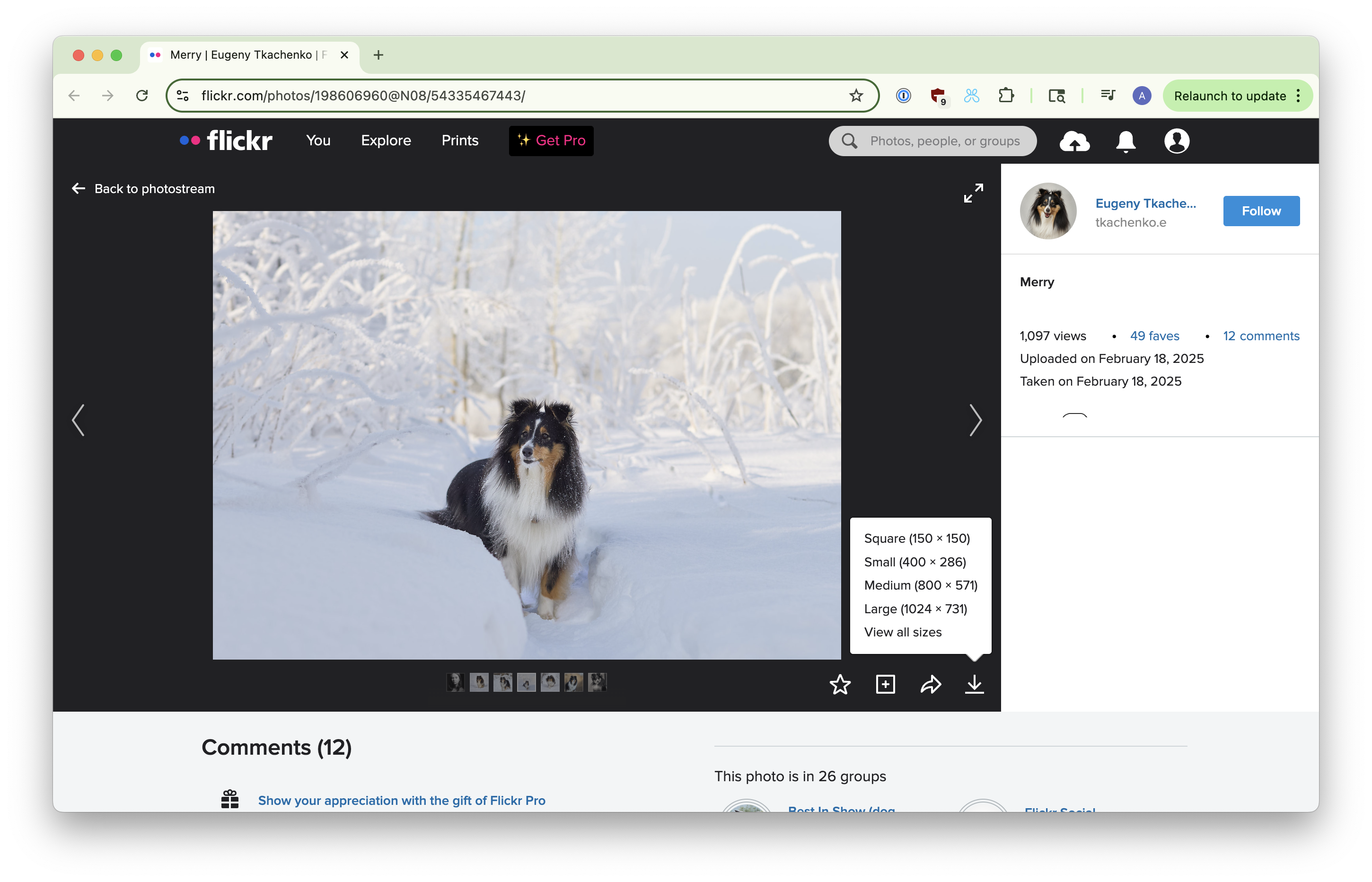
This is because it's using a larger image! If you check the source code for the page there's a Y.ClientApp.init call which instantiates the slideshow. This code includes a lot of URLs with their sizes, including versions that are larger than 1024px.
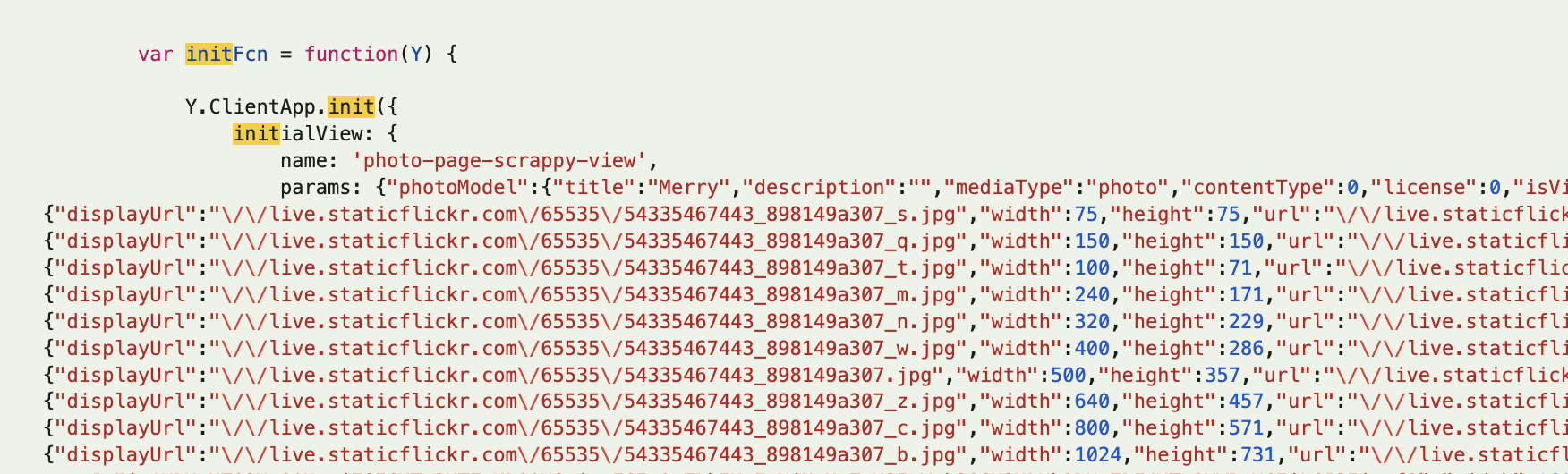
You can quickly extract these with this script in Dev Tools:
const match = document.querySelector('script.modelExport')
  .innerHTML.match(/"sizes":\s*(\{.*?\})\s*,\s*"descendingSizes"/);

const sizesData = JSON.parse(match[1]);
const results = {};

for (const sizeKey in sizesData) {
  const item = sizesData[sizeKey];
  results[sizeKey] = {
    url: item.displayUrl,
    width: item.width,
    height: item.height
  };
}
Object.entries(results).forEach(([key, v]) => {
  console.log(
    `${key} (${v.width}x${v.height}): http:${v.url}`,
  );
});
The _o.jpg-suffixed URL is the original file, and always the largest size uploaded.
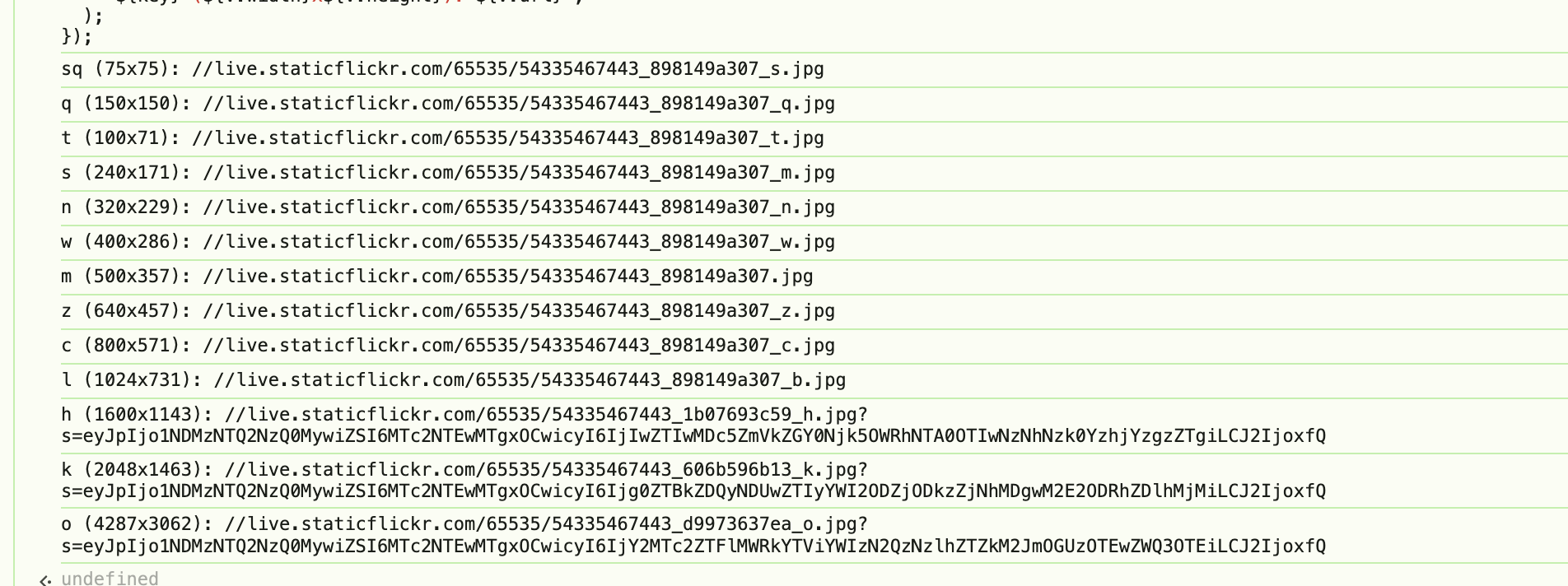
Happy dog hunting!
Andrew Chang
This was so useful, thank you for making it so easy!
Ben
Thank you!
Dani
I cannot believe it was this easy, you just made my day, thank you!