DataSF and scraping planning applications for my inner YIMBY
I am doing a series of blog posts diving into 400 Divisadero Street, a defunct car wash and gas station in San Francisco that they're trying to turn into apartments — and have been for over a decade without breaking ground. 1 If you're interested in those upcoming posts, subscribe or follow the RSS feed. The reasons for the lack of (visual) progress is multifaceted, but to properly dive into it and explain the timeline I wanted to dig into the raw planning documents. They're widely available as part of SF’s PIM (Property Information Map), but I wanted to download them all locally for OCR, manually review them all, and process them with Claude. 2 I immediately devalue any analysis that's using LLM assistance, but this kind of document ingestion and analysis feels potentially okay if you're verifying and linking takeaways from the source PDFs. All writing on this blog is my own (that’s a hard line), but I'm still reckoning with where the rest of my lines are re: using LLM's for personal work.
The documents in question I'm looking for are accessible at https://sfplanninggis.org/pim/?tab=Planning+Applications&search=1216017, where 1216017 is the key lot identifier: Block 1216, Lot 017.
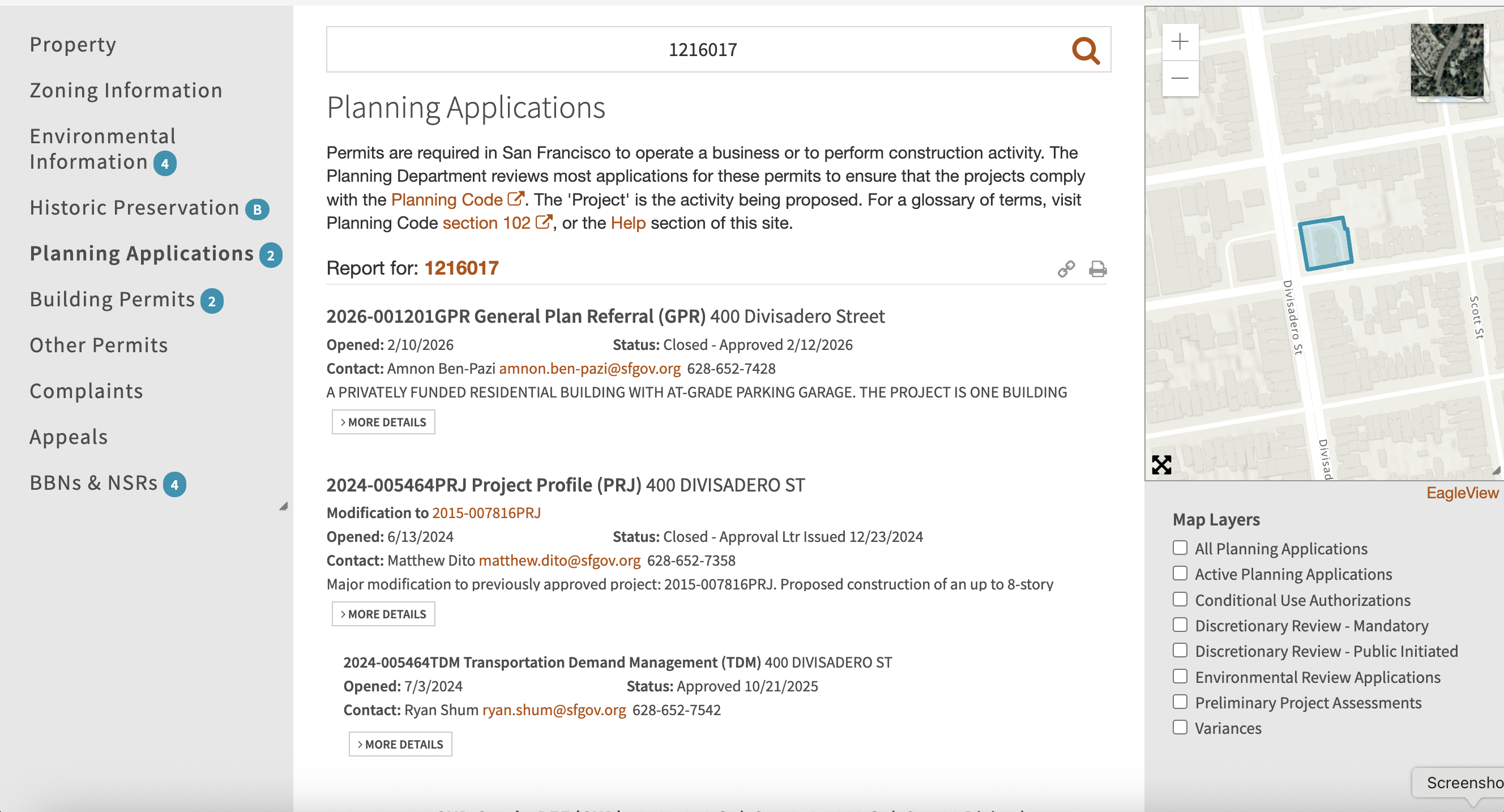
Let's figure out where they source them from, and if we can scrape it.
Approved scraping
As my first step I opened up DevTools and got this helpful nudge!

The Help page points towards DataSF, an open data portal aggregating countless sources across the SF government (I had no idea that there was such a robust data API, but it gives me some future ideas
3
C'mon, subscribe.
). While I found the 1:1 mappings between the PIM layers and the datasets a little opaque, I managed to track down the Planning Department Records's two relevant datasets, "Projects" and "Non-Projects".
4
This being the sum total of human knowledge.  If you go to the DataSF page for each of these and select
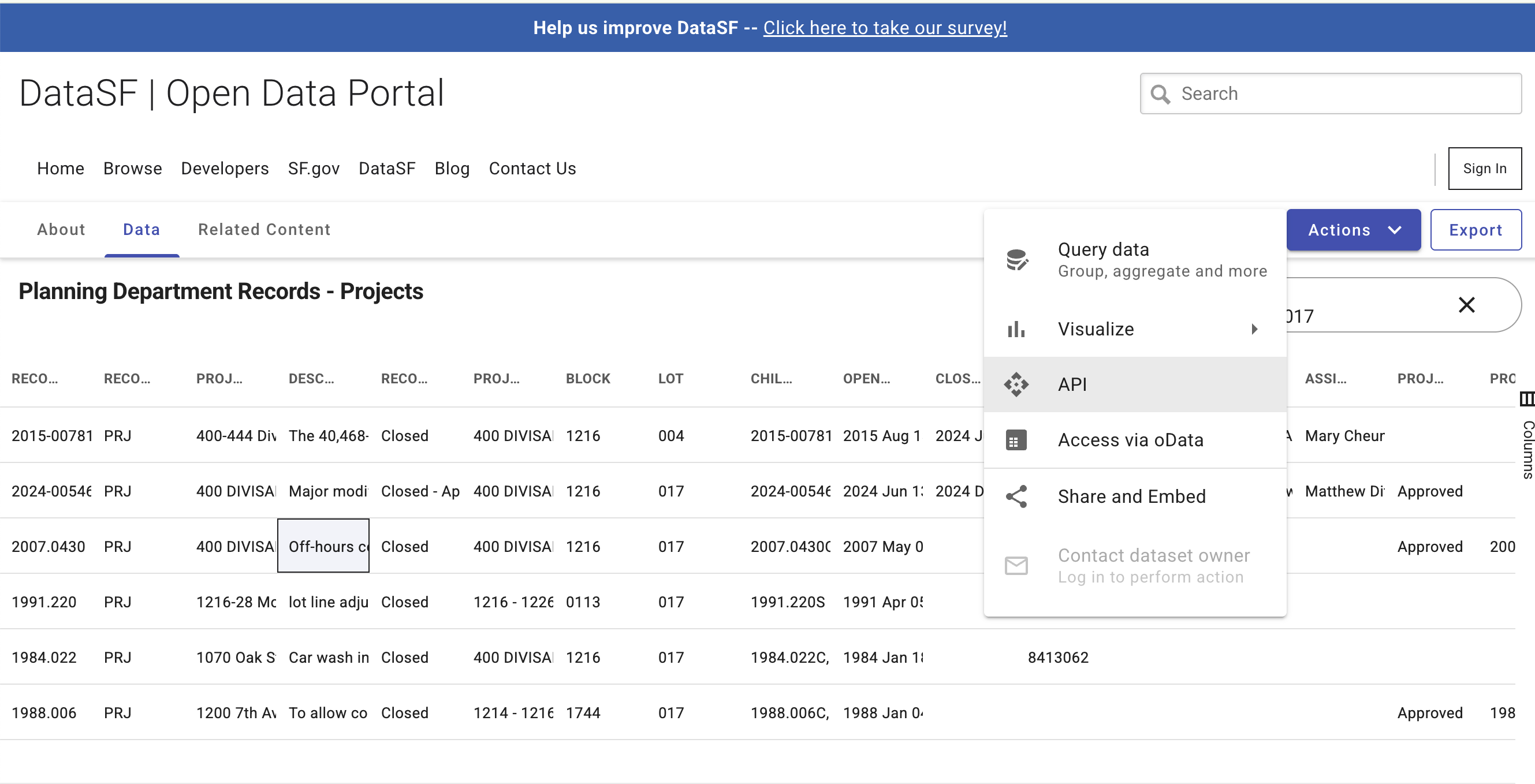
Socrata has a SoQL language that is mostly SQL, and so I whipped up a quick Python script to query the dataset:
def get_projects(block, lot):
  url = "https://data.sfgov.org/resource/qvu5-m3a2.json"

  # Filtering by block and lot elides multi-lot proposals.
  # Pretty much everything is one block, so filter by block and
  # wildcard search for the lot number
  query = f"""
  SELECT
    record_id, record_type, project_name, description, record_status,
    project_address, block, lot, child_id, open_date, close_date,
    building_permits, applicant_org, environmental_document_type,
    environmental_document_date, pim_link
  WHERE block = '{block}'
  SEARCH "{lot}"
  """

  params = {
    "$query": query,
  }

  response = requests.get(url, params=params)
  response.raise_for_status()
  return response.json()
Unfortunately this didn't have the information for the actual documents. It's possible that they're downloadable through a separate DataSF source, but I didn't find it poking around. I'll update this if I find it as a source, but until then we're back to...
Unauthorized scraping
PIM fetches this data through multiple queries. The SF Planning Department has a GIS service (with a bunch of cool maps!) at https://sfplanninggis.org/arcgiswa/rest/services. It queries this first by hitting PIM_v33/MapServer/find filtering BLKLOT to 1216017. This returns the plot geometry in question for the relevant parcel, which is the unit for this kind of query.
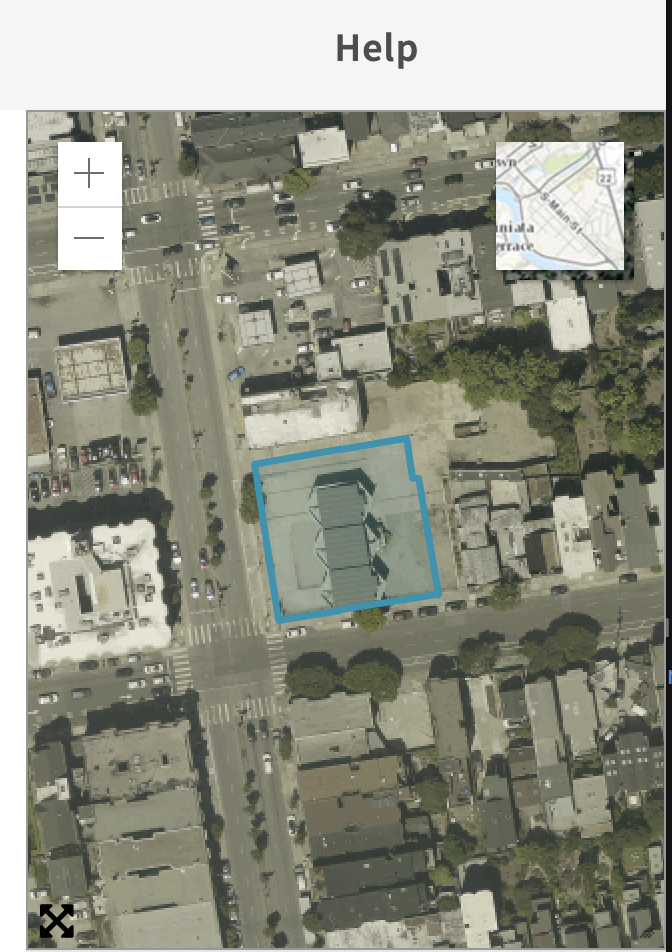
From there it adjusts the parcel bounds to be 0.7ft smaller (using the Utilities/Geometry/GeometryServer/buffer API) to avoid the edges double-counting neighboring parcels.
6
This reduces the number of planning applications from 39 to 28, removing stuff like 1995.385 for 1052-1060 Oak St.
Finally it calls PIM_v33/MapServer/identify with the geometry determined from the previous two queries with layer 65 for planning records. The magic field we're looking for (that wasn't exposed in the DataSF dataset) is the templateid, which the internal system uses for document lookup. In this case it's 24CAP-00000-005O6.
{
  "layerId": 65,
  "layerName": "Planning Records - All",
  "displayFieldName": "record_name",
  "value": "400 DIVISADERO ST",
  "attributes": {
    "OBJECTID": "18465",
    "Shape": "Polygon",
    "record_id": "2024-005464PRJ",
    "date_opened": "6/13/2024",
    "record_status": "Closed - Approval Ltr Issued",
    "record_status_date": "12/23/2024",
    "address": "400 DIVISADERO ST 94117",
    "record_type": "Project Profile (PRJ)",
    "record_type_category": "PRJ",
    "record_name": "400 DIVISADERO ST",
    "description": "Major modification to previously approved project: 2015-007816PRJ. Proposed construction of an up to 8-story building with 203 residential units and 1,855 square feet of ground floor commercial. Project is proposed under AB 2011 and the State Density Bonus Law.",
    "planner_id": "MDITO",
    "templateid": "24CAP-00000-005O6",
    "planner_name": "Matthew Dito",
    "planner_email": "matthew.dito@sfgov.org",
    "planner_phone": "628-652-7358",
    "acalink": "https://aca-prod.accela.com/ccsf/Cap/CapDetail.aspx?Module=Planning&TabName=Planning&capID1=24CAP&capID2=00000&capID3=005O6&agencyCode=CCSF",
    "aalink": "https://ccsf-prod-av.accela.com/portlets/cap/capsummary/CapTabSummary.do?mode=tabSummary&serviceProviderCode=CCSF&ID1=24CAP&ID2=00000&ID3=005O6&requireNotice=YES&clearForm=clearForm&module=Planning&isGeneralCAP=N",
    "date_closed": "12/23/2024",
    "parent": "Null",
    "children": "2024-005464TDM",
    "constructcost": "85000000",
    "MMM": "Null",
    "application_type": "Null",
    "mod_record_number": "2015-007816PRJ"
  }
}
Querying the GIS files API with https://sfplanninggis.org/PlanningDocsMFiles/ allows us to get a full list of the attached documents, along with raw docLinks to the file.
{
  ...
  "doc0_6" : {
    "LastModified" : "2024-12-16T18:14:46Z",
    "Class" : "3",
    "ClassName" : "Application",
    "docGroup" : "PLN",
    "FileGUID" : "{7F271E31-9079-4536-B3EF-4E5FD5C0D25A}",
    "Name" : "Inclusionary Affordable Housing Affidavit - 400 Divisadero Street.pdf",
    "Size" : "342932",
    "docLink" : "https://citypln-m-extnl.sfgov.org/External/link.ashx?Action=Download&ObjectVersion=-1&vault={A4A7DACD-B0DC-4322-BD29-F6F07103C6E0}&objectGUID={7F66251F-672D-413E-8E51-CB296EE83D90}&fileGUID={7F271E31-9079-4536-B3EF-4E5FD5C0D25A}"
  },
  ...
}
If you go to that URL it will download the PDF but appending &showopendialog=0 to the end will allow it to render in your browser, though it won't render in an embed view.
7
Admittedly rightfully so, because hammering the government servers to render this stuff inline on my website doesn't make sense.
Instead for all of the embed views I locally download the PDF and serve it directly from the blog:
8
I'm using EmbedPDF to do this, which has a robust API and which I’ve found to be thoroughly better than <embed> and pdf.js for consistent UIs and good UX.
The script that I wrote to download all the PDFs (and the DataSF processing script that I didn't end up using) are both public on my GitHub if you want to take a look. With them downloaded I then used Poppler (brew install poppler) to mass convert the PDFs into greppable text files with find . -name '*.pdf' -exec pdftotext {} \;. From here it was just a lot of reading and summarizing: posts coming soon™!
-
If you're interested in those upcoming posts, subscribe or follow the RSS feed. ↩︎
-
I immediately devalue any analysis that's using LLM assistance, but this kind of document ingestion and analysis feels potentially okay if you're verifying and linking takeaways from the source PDFs. All writing on this blog is my own (that’s a hard line), but I'm still reckoning with where the rest of my lines are re: using LLM's for personal work. ↩︎
-
This being the sum total of human knowledge.
↩︎ -
SODA stands for Socrata Open Data API, a name that has persisted despite the company being acquired and folded into Tyler Technologies in 2018. I guess TTODA doesn't have the same ring to it. ↩︎
-
This reduces the number of planning applications from 39 to 28, removing stuff like 1995.385 for 1052-1060 Oak St. ↩︎
-
Admittedly rightfully so, because hammering the government servers to render this stuff inline on my website doesn't make sense. ↩︎
-
I'm using EmbedPDF to do this, which has a robust API and which I’ve found to be thoroughly better than
<embed>andpdf.jsfor consistent UIs and good UX. ↩︎