Explaining the Magelight XP glitch in Skyrim
There's a place in Skyrim right outside the capital city, Solitude, where if you cast Magelight at the top of a mountain, you get tons of XP in Alteration — enough to level you from 15 to 25 in just one cast. But why?
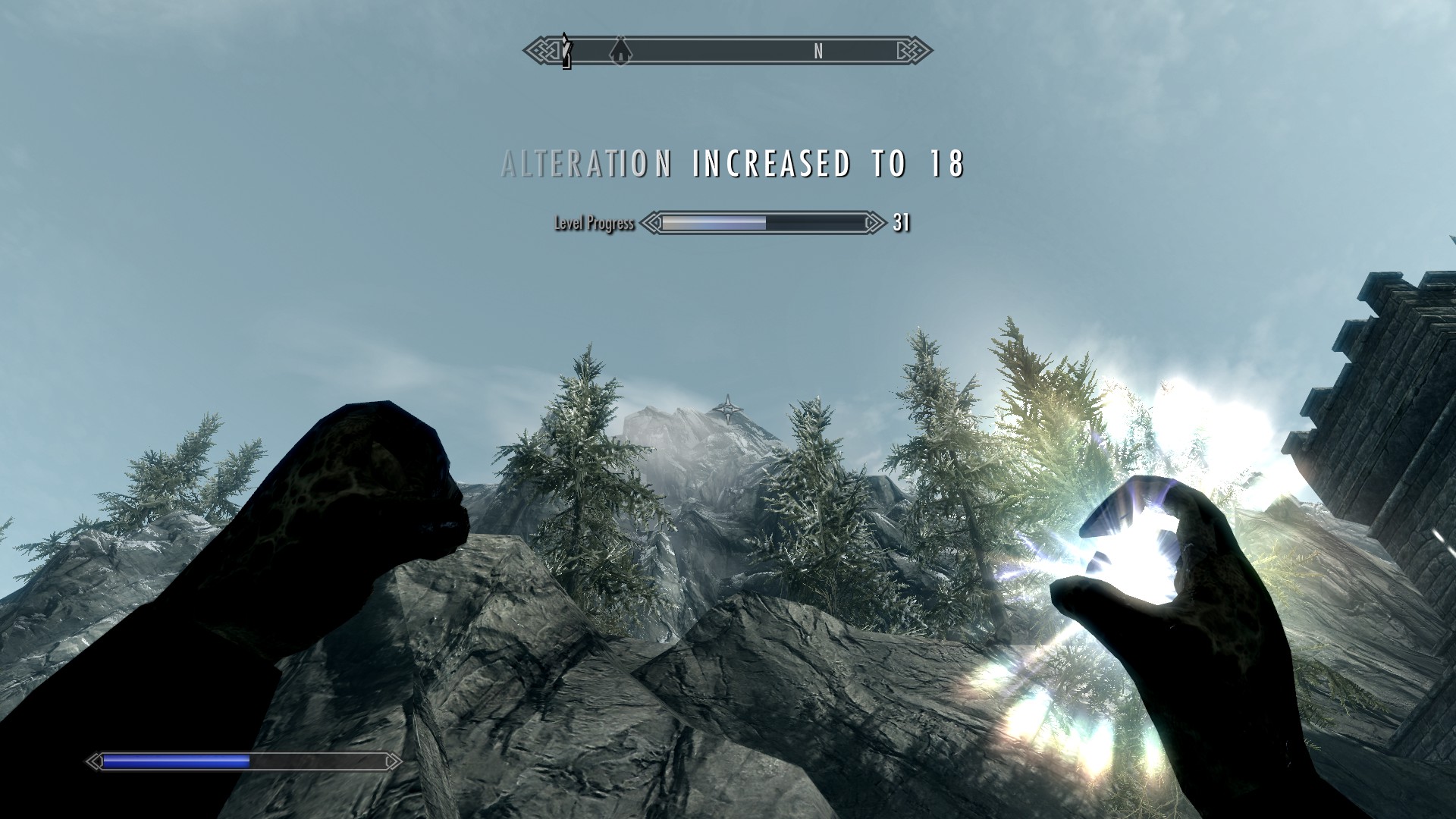
There's a lot of wrong explanations for why this works, but the main one is some version based on how far the target is:
"Magelight grant XP on arrival based on how long it travelled. What you have found is a place where you are on the near edge of render distance, but there are tricks to increase it even further." - @Jewbacca1991
But as others quickly point out, it doesn't work for other far distances: something seems to be special about this mountain. The UESP Skyrim wiki claims that it's because of the cloud layers that you can see:
"The large XP gains at this location seem to be related to passing through multiple planes of weather effects."
But there are plenty of cloudy mountains where this doesn't work. Let's reverse engineer the Magelight XP formula to put this to rest.
How Magelight grants XP
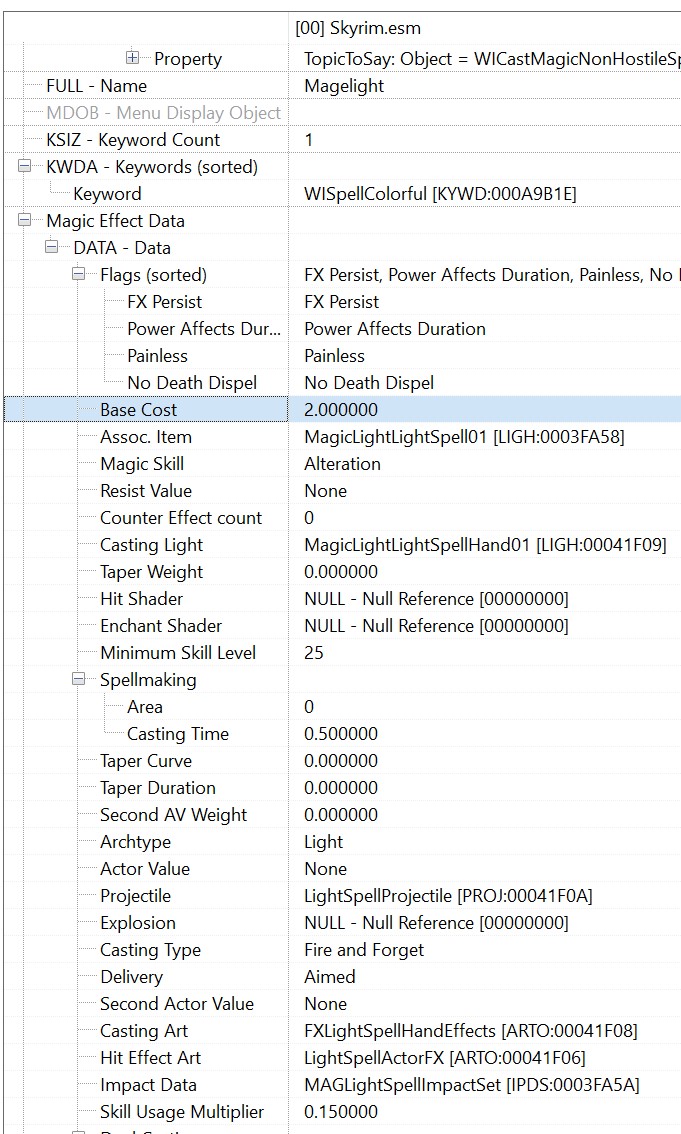
Magelight is an Apprentice level spell. Loading it up in TES5Edit we can see that it has a Magnitude of 5, a Duration of 60, and a base effect of LightFFAimed, or 0001EA6D. If we load that effect we can see it has a Base Cost of 2, and a Skill Usage Multiplier of 0.15.
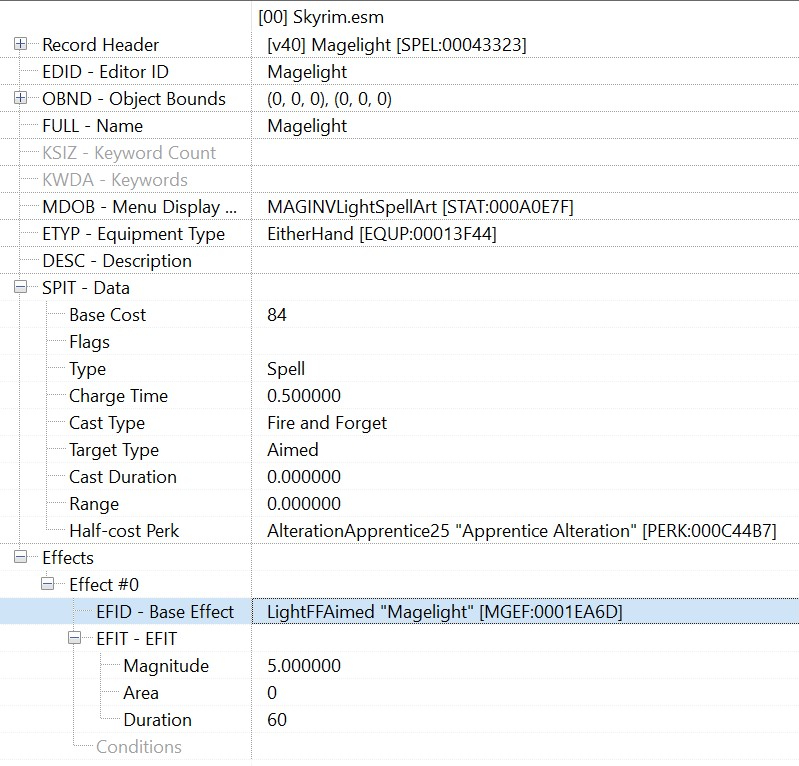
00043323
The Spell Effect, 0001EA6D
This all gets used to calculate the Skill Usage value. Because there's no Area for the spell it quickly simplifies:
$$ \begin{aligned} Skill\_Usage &= Base\_Effect\_Cost \times Area \times (Magnitude \times \frac{Duration}{10})^{1.1}\newline &= 2 \times 1 \times (5 \times \frac{60}{10})^{1.1}\newline &\approx 84.307 \end{aligned} $$
The Alteration XP takes this, multiplies it by the Skill Usage Multiplier (0.15 for Magelight) and then by the Skill Use Mult (3 for Alteration) for a raw XP of 37.938 per cast.
Validating in game
Ideally we'd cast Magelight at a wall and see if this gives the expected amount of XP. Unfortunately there's no way in game (even using console commands) to get the exact XP. Luckily we can use Cheat Engine to read the underlying memory directly with Lua. 1 You may remember Lua (my favorite programming language downstream of Brazilian oil companies) from my previous post speedrunning Harry Potter 1 for the GBA.
-- (Set the player's Alteration level to 15 with a console command)
-- player.setav alteration 15

-- Set the overflow XP to 0
local ALTERATION = 18
local player = readPointer(0x01B2E8E4)
local skills = readPointer(readPointer(player + 0x614))
local entry  = skills + 12 * ALTERATION - 0x40
writeFloat(entry + 4, 0)
print(string.format('Alteration XP: %.3f', readFloat(entry + 4)))

-- <Cast the spell>

-- Read out the current XP
print(string.format('Alteration XP: %.3f', readFloat(entry + 4)))
If we run the above script
2
I swapped to using the VEH debugger with
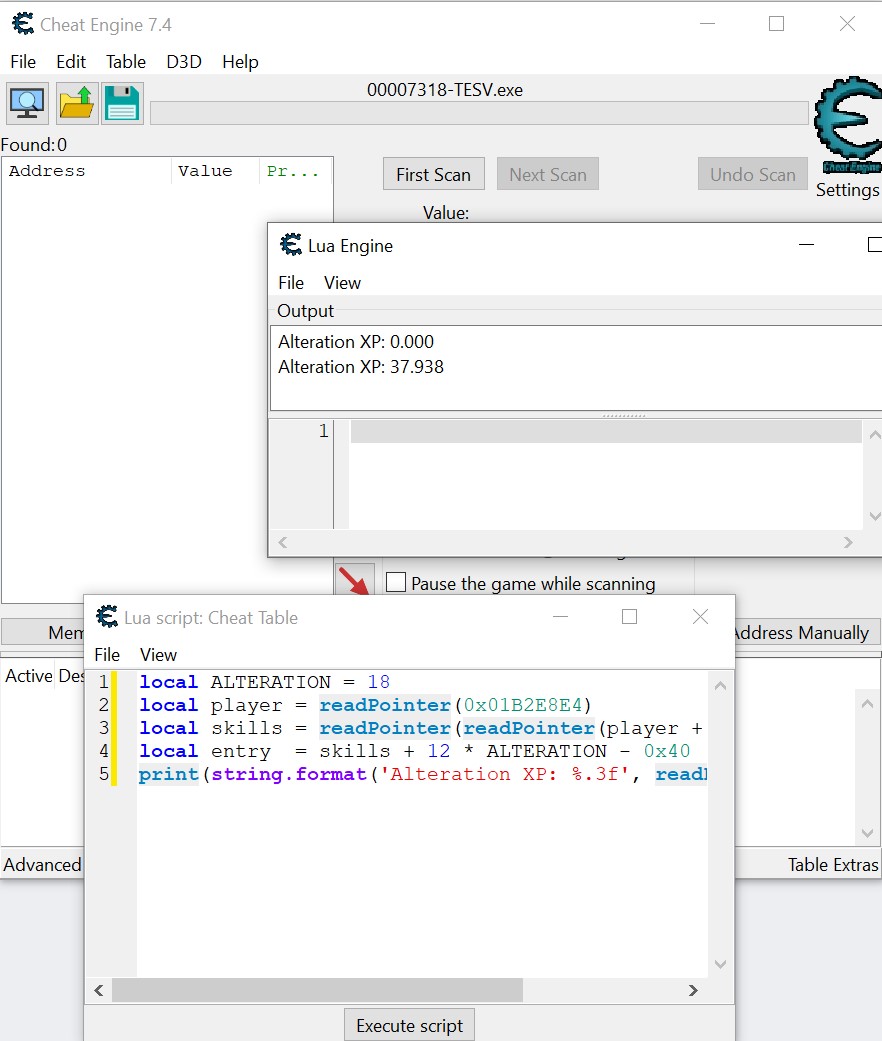
But none of this incorporates distance. Why are we getting so much more than 38 XP?
Reverse engineering when the XP grant runs
Magelight is unlike most other spells because it doesn't need to hit a person — it'll work, but it also works to cast it at a wall or a table or a rock. It grants XP in all of these cases, so how does it know when it hits something?
How collision works
Casting the spell creates a LightSpellProjectile that travels along a path based on where you originally aimed it. Each tick it checks if it's collided with something, which roughly follows these three steps:
Draw a path for where the object will move in the next tick (0x007A0090)
It takes the speed of the projectile (512 units/s) and divides by your frame rate (60 fps
3
And yes, this means that the collision check rate is lower if you're playing on old Xbox consoles, and higher if you've cranked this above the normal value. It also goes higher if you use the Slow Time shout or use the Archery/Block perks to slow time, though collisions/s stay the same.
) to get \(\frac{512}{60} = 8.5\bar{3}\) units/tick in the direction you cast in. The spell has a range of 10,000,
4
Again determined by the ESM file, though it wasn't in the above screenshot crop. Whoops.
so it will continue along its path for \(\approx 19.5\) seconds before it vanishes.
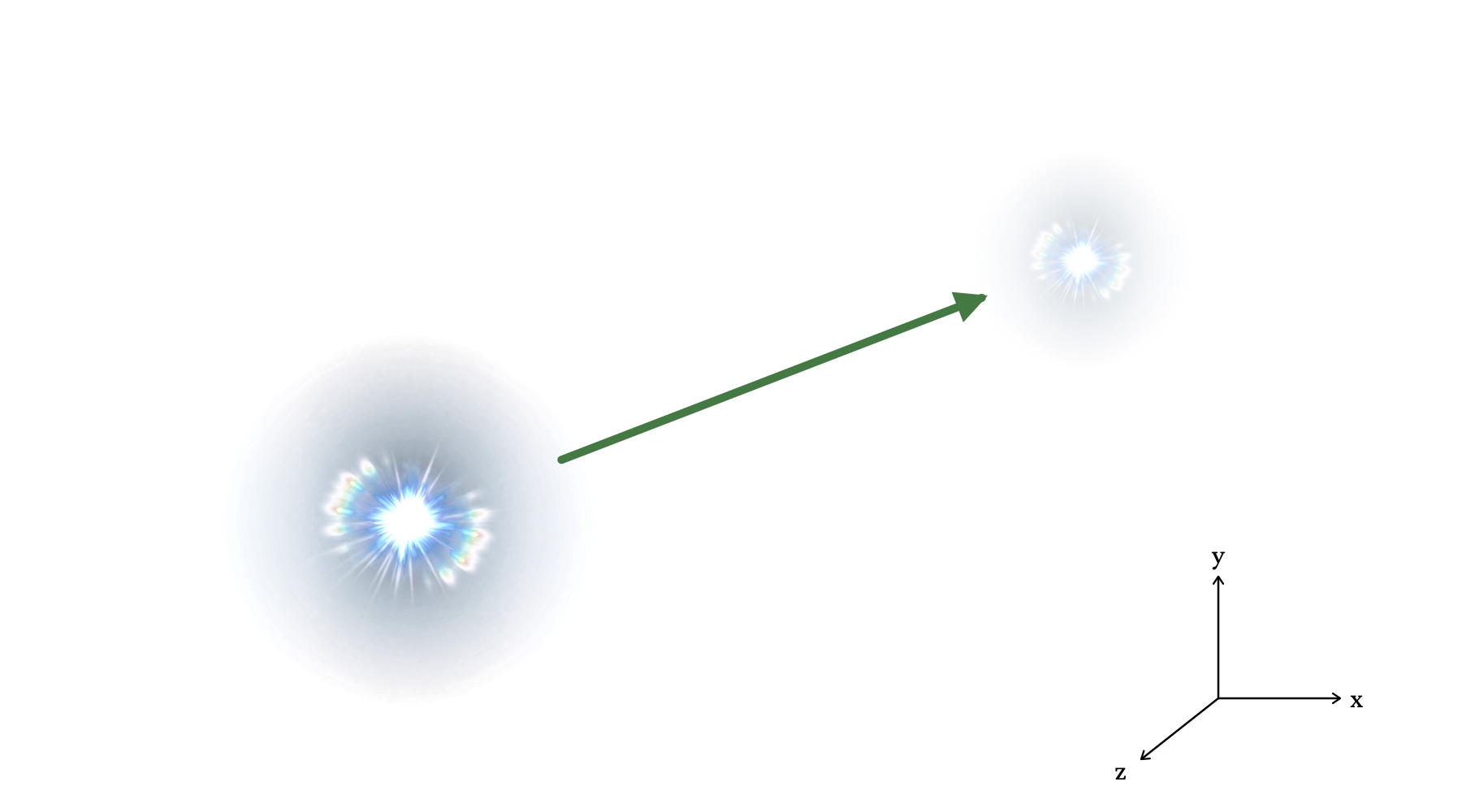
Intersect that path with every object that has a collision shape and passes the collision layer filtering. (0x00DE0040)
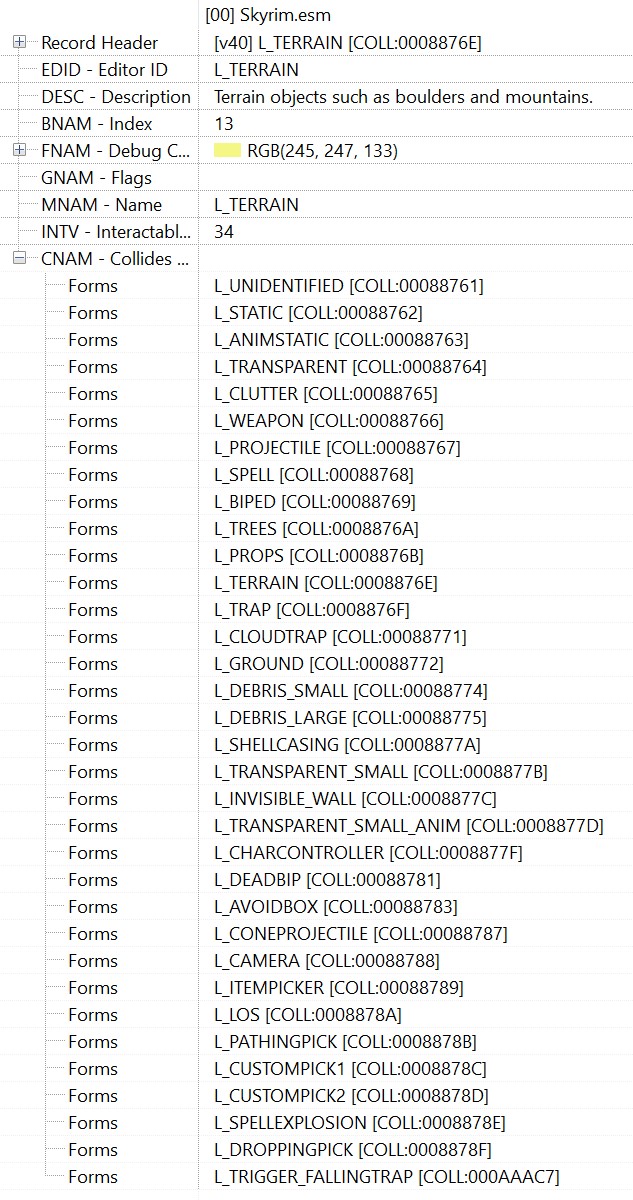
Every object in the game has a collision layer which defines what it collides with (for instance L_TRANSPARENT won't stop projectiles or spells where L_TERRAIN will). If they don't match, a collision won't fire.
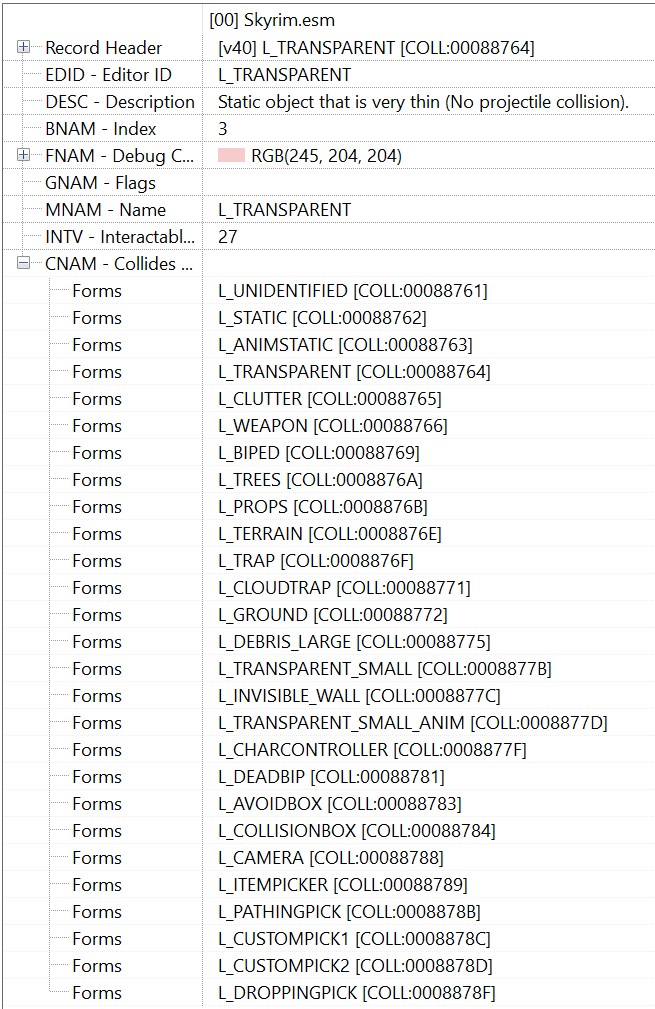
L_TRANSPARENT
L_TERRAIN
Check if the path hit the object. (0x00EC41C0)
First, it finds the closest point on the surface of the object to the projectile. Then it finds the normal vector that points away from the surface with that closest point.
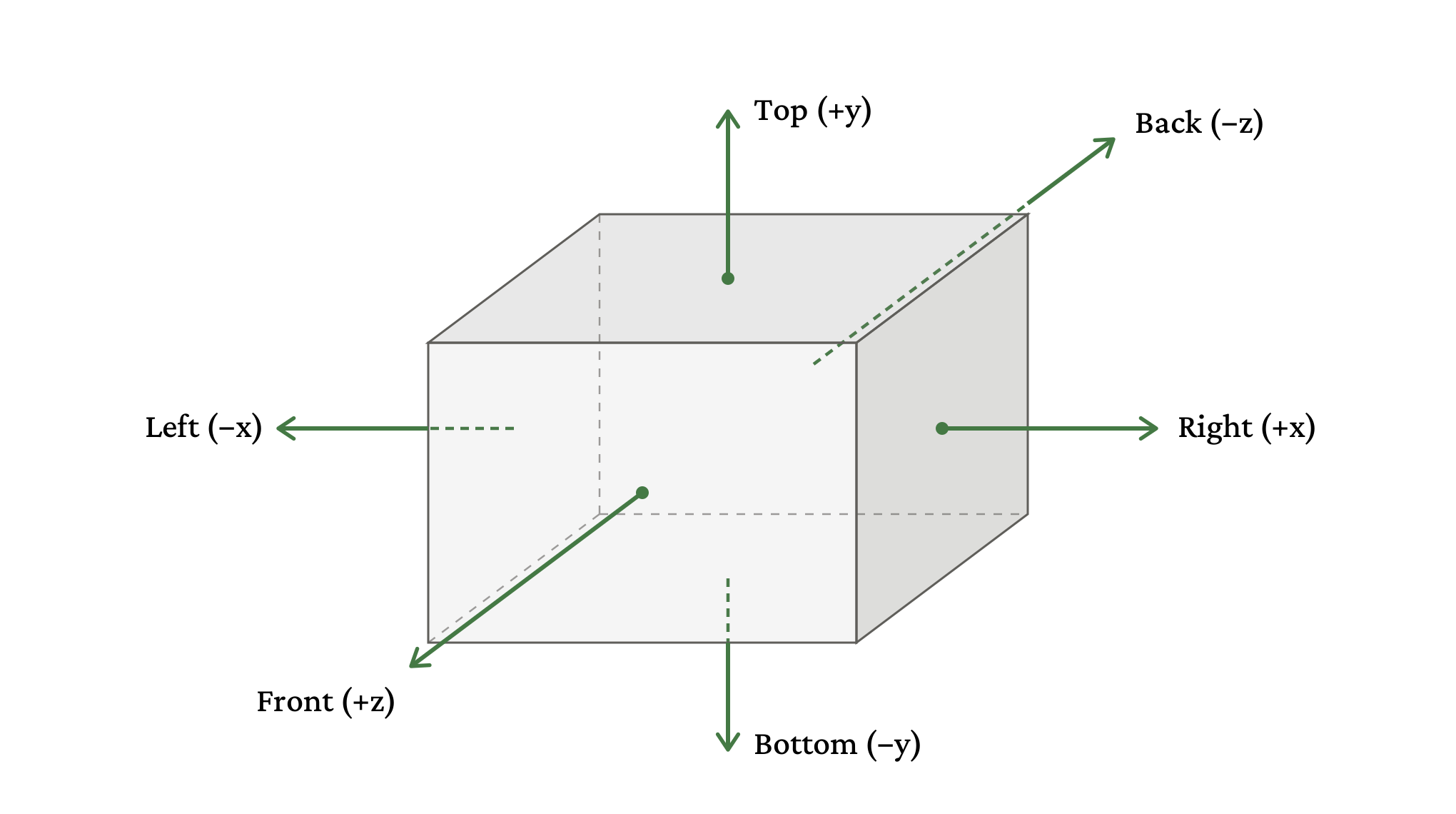
It then checks if the projectile is going in the same direction as the normal. 5 It does this by checking if the dot product is positive or negative. Yay math! If they are, it's moving away from the surface, so it says there's no collision. If they're moving in opposite directions then it flags a collision if it's already intersecting or inside of the object, or if it will hit it in this next tick step.
Note that even if the projectile is inside the object the normal check comes first: if it's made it over halfway through the object, such that the closest point is on the far side and the normal is in the same direction as movement, then it stops triggering collisions.
What happens when it collides with something
Once the LightSpellProjectile has collided with something (or multiple things) it runs an "OnHit" function (0x007A30FD) for each collision, triggering what's supposed to happen. The function handles a lot of things that aren't relevant for Magelight
6
Like wards blocking spells at 0x006ECE30 or targets getting knocked back by Destruction spells at 0x006E99D0.
but finally either applies the effect to a person
7
Technically a magic target, which also includes stuff like activation triggers.
(0x00664740) or the collision surface. Most single-cast spells handle the XP award as part of the person branch, but there's a special check at 0x00660353 that handles giving XP for spells that can handle alternative targets, like Magelight.
8
Actually not like Magelight, just Magelight. Technically it's all Reanimate and Light spells, but all of the Reanimate spells override this location to just grant XP when you raise the body from the dead, and the only other Light spell is Candlelight, which isn't a projectile.
Finally "OnHit" adds the impact at 0x007A2560. It makes sure it only runs once, and checks the material that was hit to run accordingly (attaching to a person, for instance, or just floating near the wall for a wall). If there is no material, or it's an unsupported material, then no impact event happens.

Stopping the projectile
Everything that's been described so far seems to work, and it mostly does, but here's where it breaks down. After colliding with something and running "OnHit" the code runs a "HandleHit" function to determine if the projectile should keep going or not. Usually it will stop the projectile, but there are two exemptions: it will keep going if it collides with something 1) non-corporeal
9
To be more specific, BROAD_PHASE_PHANTOM from Havok's collision code, which is used for triggers (stuff like "if you walk here activate the trap/cutscene/dialogue"). This check happens at 0x0079f022.
or 2) has the layer type 26 or 28, which corresponds to L_TRANSPARENT_SMALL and L_TRANSPARENT_SMALL_ANIM.
10
This exemption is at 0x0079f063 if you're curious future me looking for proof.
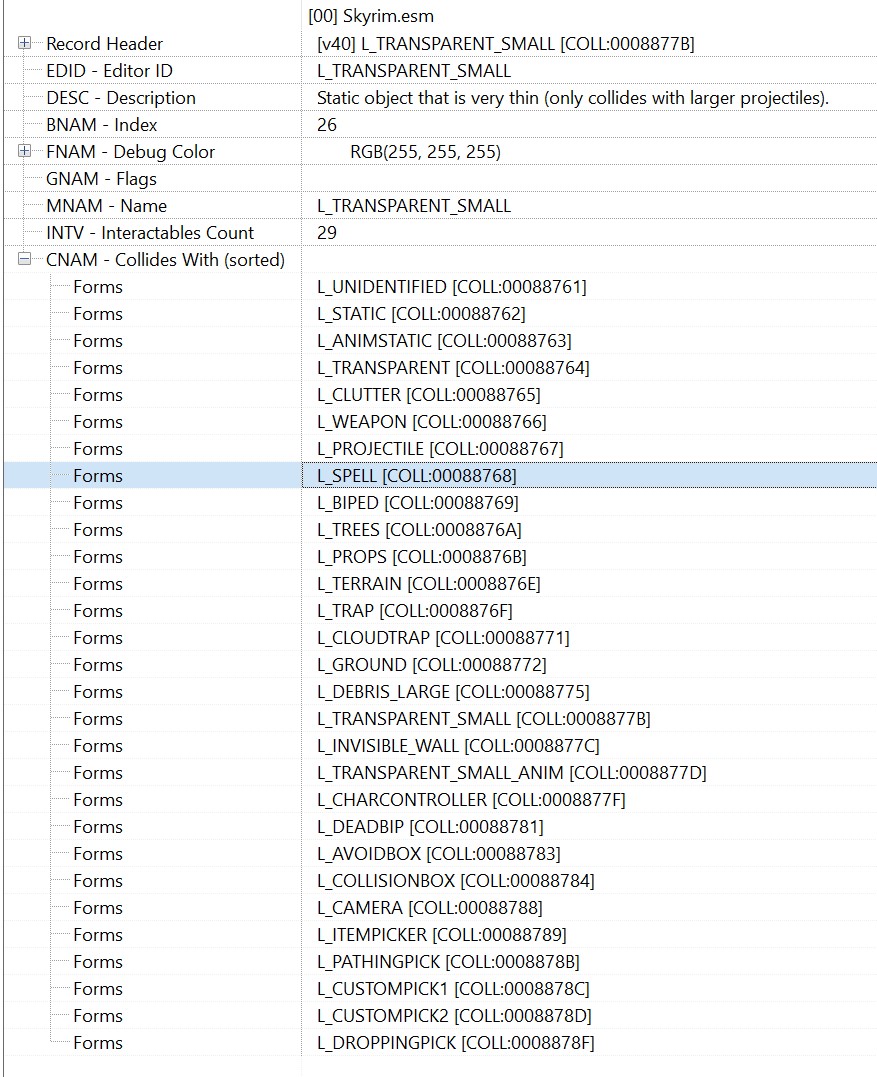
L_TRANSPARENT, which doesn't collide with L_SPELL
L_TRANSPARENT_SMALL, which does collide with L_PROJECTILE and L_SPELL
Because L_TRANSPARENT_SMALL 'collides' with projectiles and spells in its collision layer, the surface continually registers collisions without stopping the projectile, leading to the bug.
The bug breakdown
You cast Magelight until it enters a bounding box with L_TRANSPARENT_SMALL. That collision layer collides with L_SPELL so it counts as a collision. It's not a person or magic target, so it hits the fallback path and awards 38 XP. But L_TRANSPARENT_SMALL is exempt from the "HandleHit" and so the projectile keeps going. Next tick, same thing happens. It's in the bounding box, it counts as a collision, it awards 38 XP. It will keep doing this until the closest point has a normal in the same direction that it's going, which is roughly when it's gone halfway through.
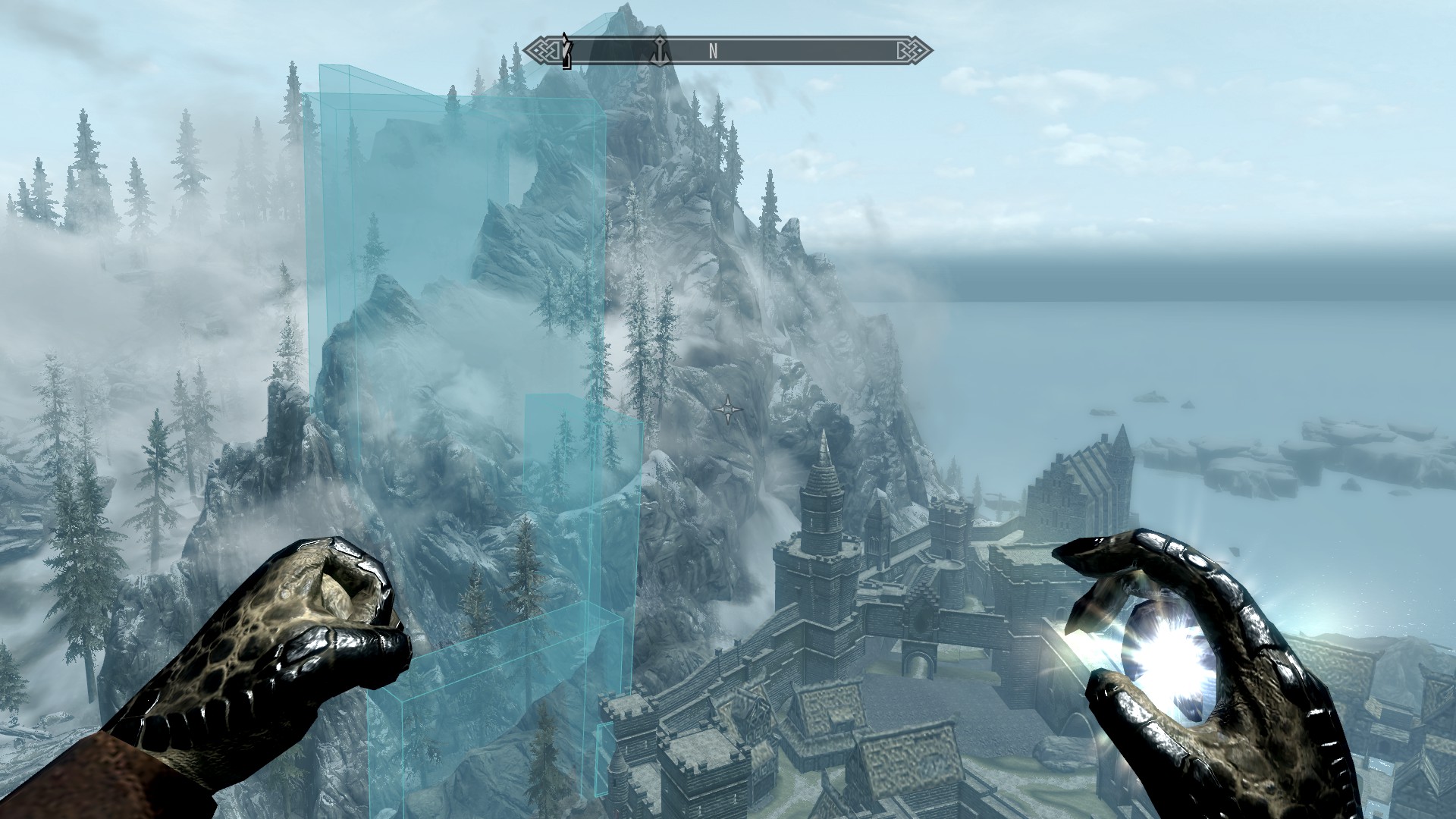
But where are the L_TRANSPARENT_SMALL objects? You guessed it: the mountain right near Solitude.
11
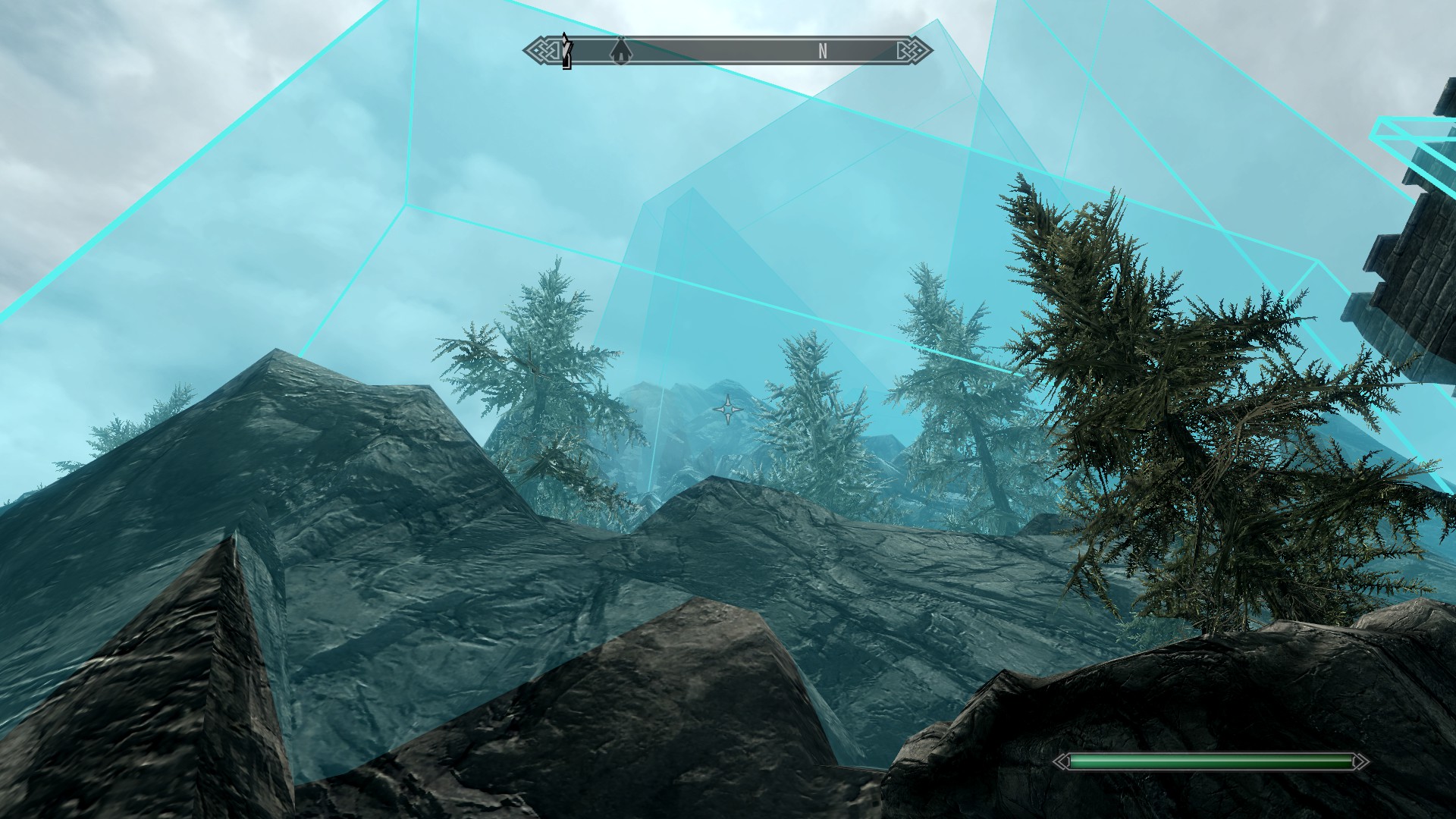
Ï made the walls visible using a quick mod built off of the Skyrim Creation Kit, but you can do the same thing with .esm tweaks to add a debug color for the collision layer.
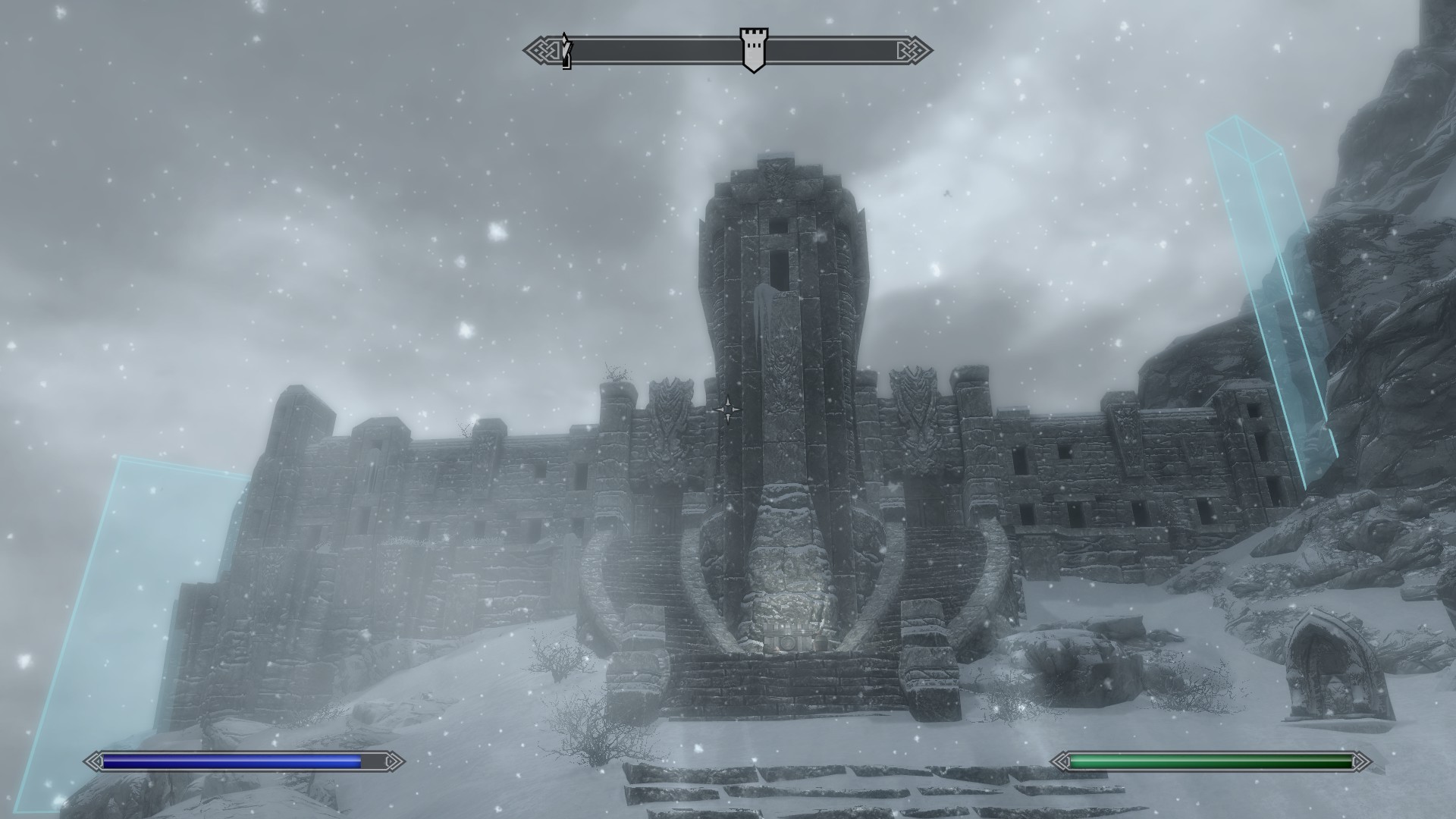
There are some other places that have it, like the sides of High Hrothgar:
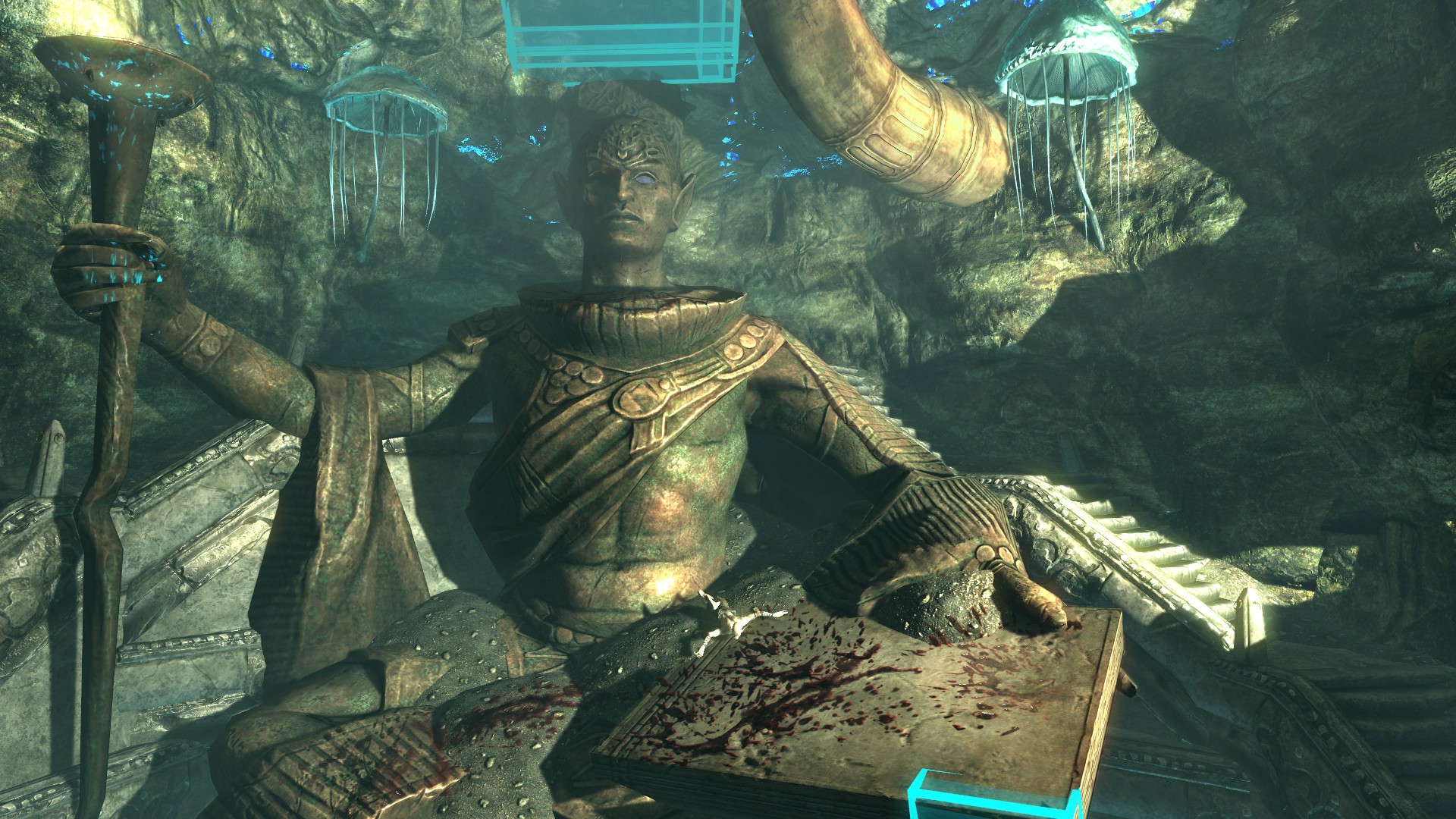
Or around the statue in Irkngthand at the conclusion of the Thieves' Guild questline:
Or as very thin planes surrounding the Thalmor Embassy:
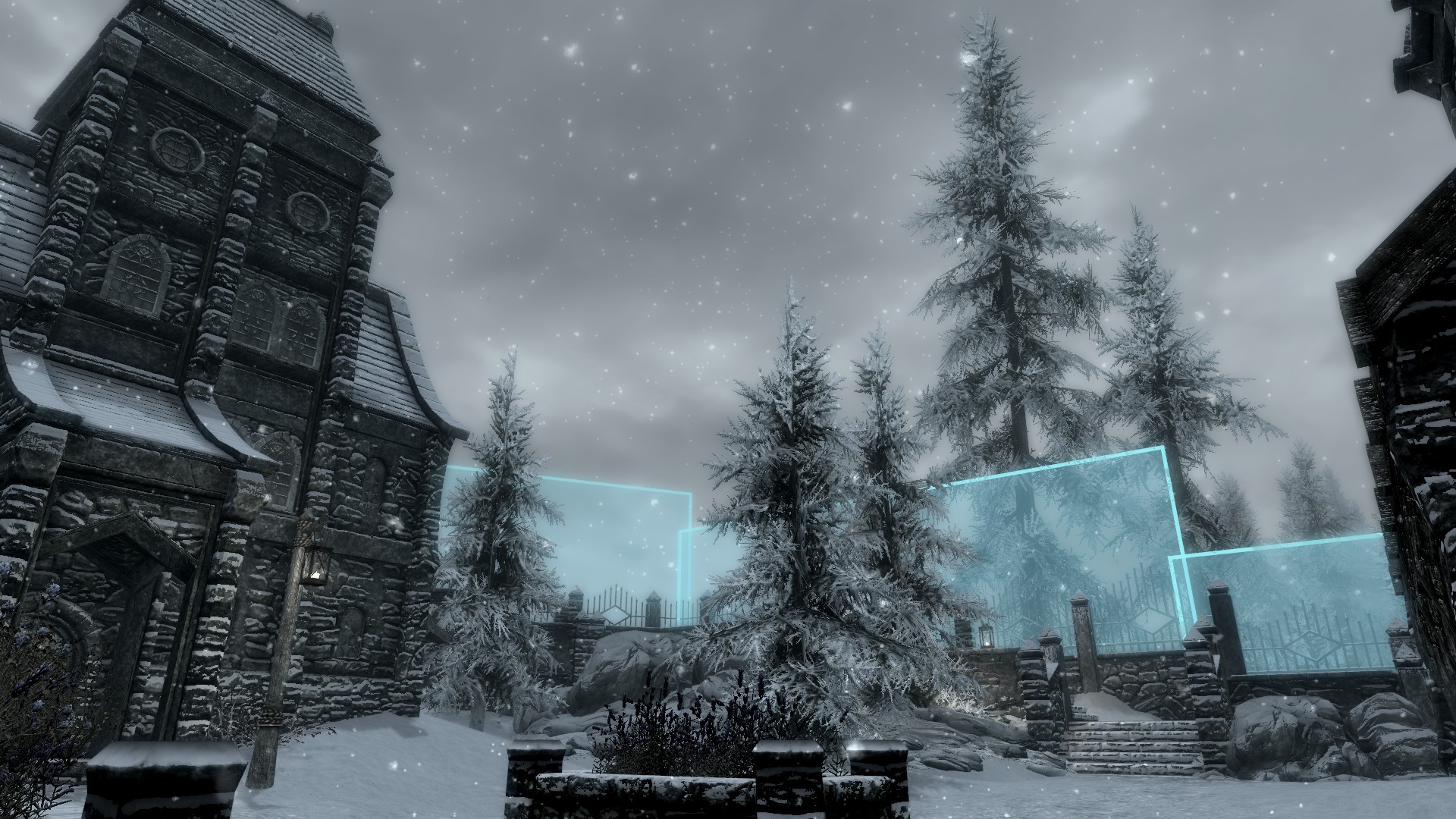
But the biggest ones are all next to Solitude, which is why you have to cast at that mountain, not just any cloudy mountain that's far away.
How to maximize
Most of the guides say to aim at the top of the mountain, but what you actually want to aim at is whatever line maximizes the amount of time that the spell will be passing through the L_TRANSPARENT_SMALL blocks (and in the right sections of them). The mountain is good, but we can do better.
12
The top of the mountain gives ~280 triggers vs. ~850 in the optimal place. 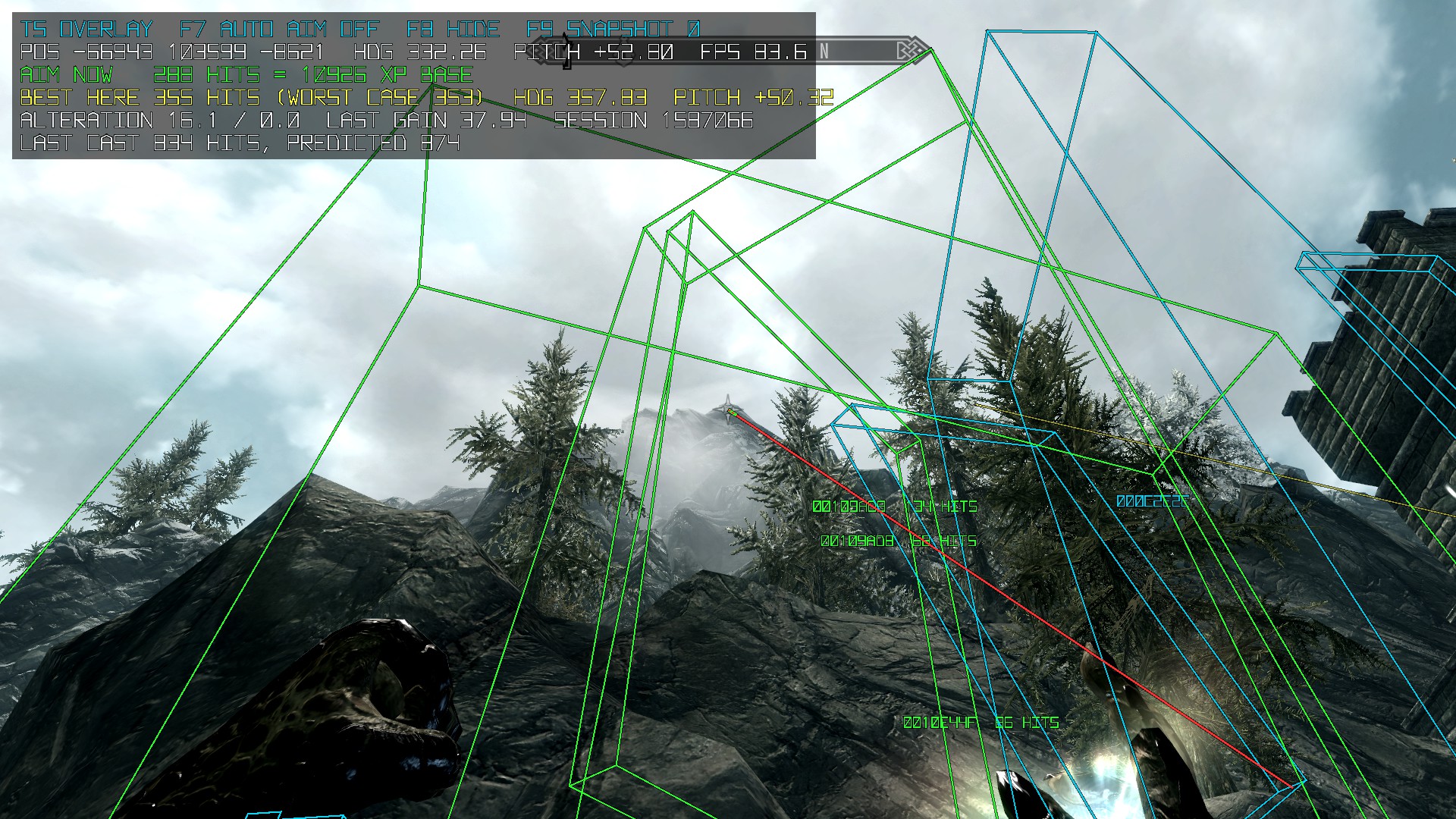
Ï quickly 13 And I mean quickly, Claude Opus 5.5 two-shot the mod in about 10 minutes with only one screenshot to show what was wrong. wrote a mod using SKSE that would render the invisible walls and react to where you were aiming the spell, dynamically calculating the number of expected XP triggers as well as the optimal angle to maximize XP gain. Just walking around the area quickly found the optimal location. 14 A lot of math also found the 'optimal' location, but it was underground and inaccessible. Ideal.
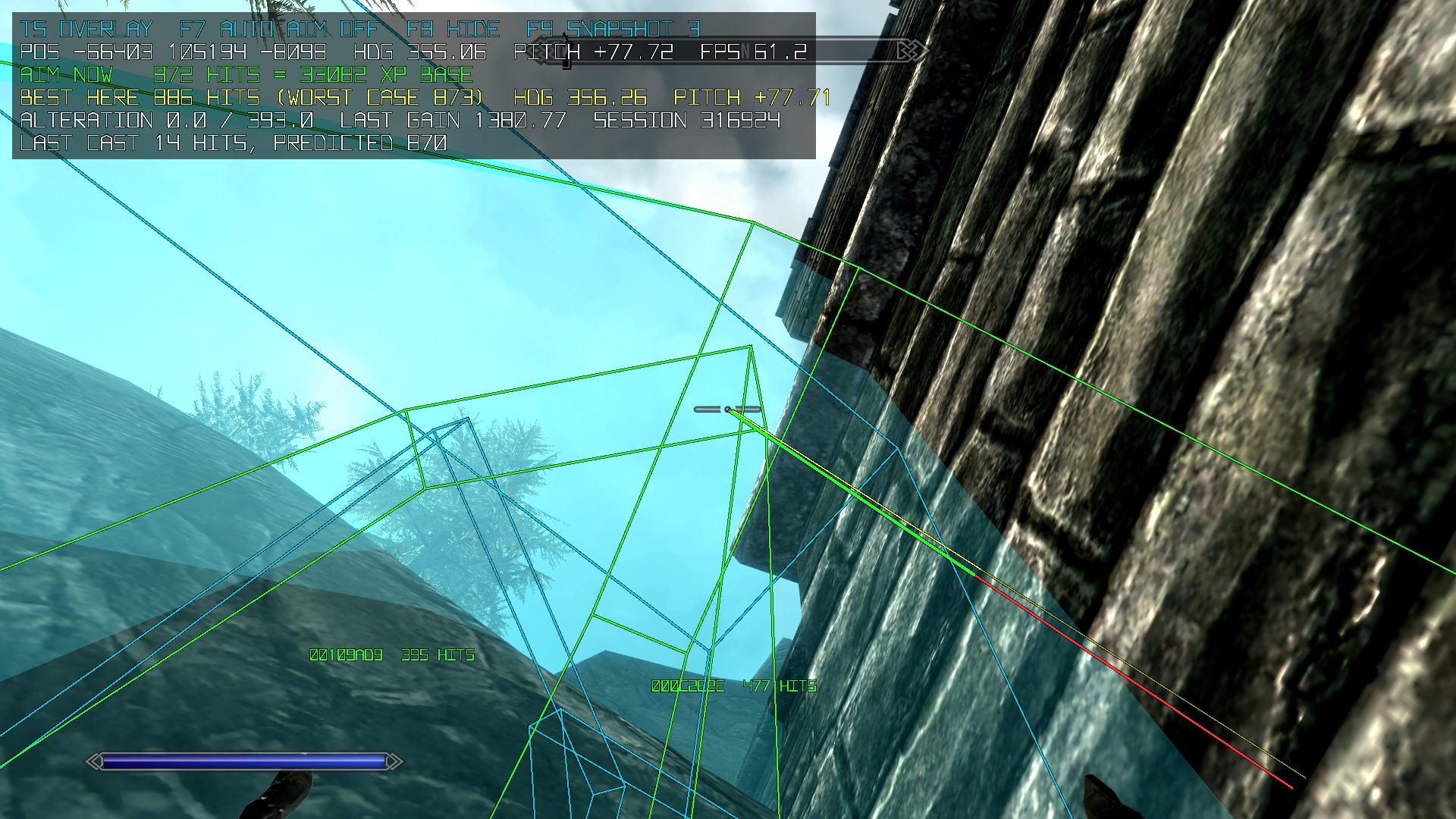
To get from Level 15 to Level 100 Alteration you need \(\sum_{L=15}^{99} 2 * L^{1.95}\) = 528,804.0234 XP. At 37.938 XP per trigger, that's almost 14,000 triggers, so a line that does 250 triggers vs. 850 triggers is the difference between 55 casts and 17 casts. The key bit, though, is a consistent repro—it's all good to say "aim at this spot in the sky" but people can't follow that. So here's a followable guide!
Consistent setup guide
Start by traveling to Solitude and then exiting the main door, so you're right outside. We're going to want to get up on the rock to the left. There's an invisible wall there, so line up against it and the castle wall in the farthest corner.
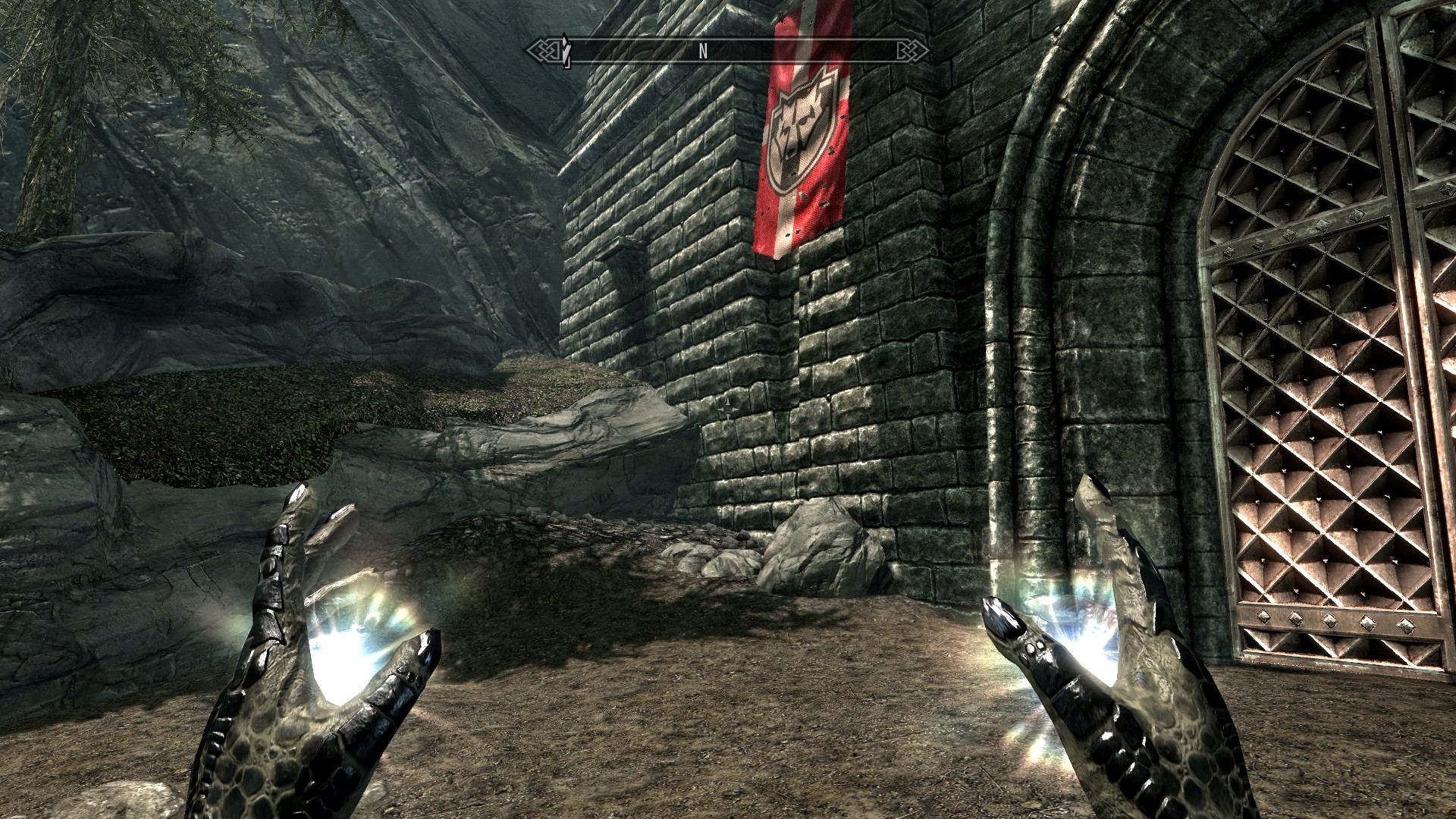
We're going to be aiming at the mortar line of the top left brick of the wall we're pressed up against.
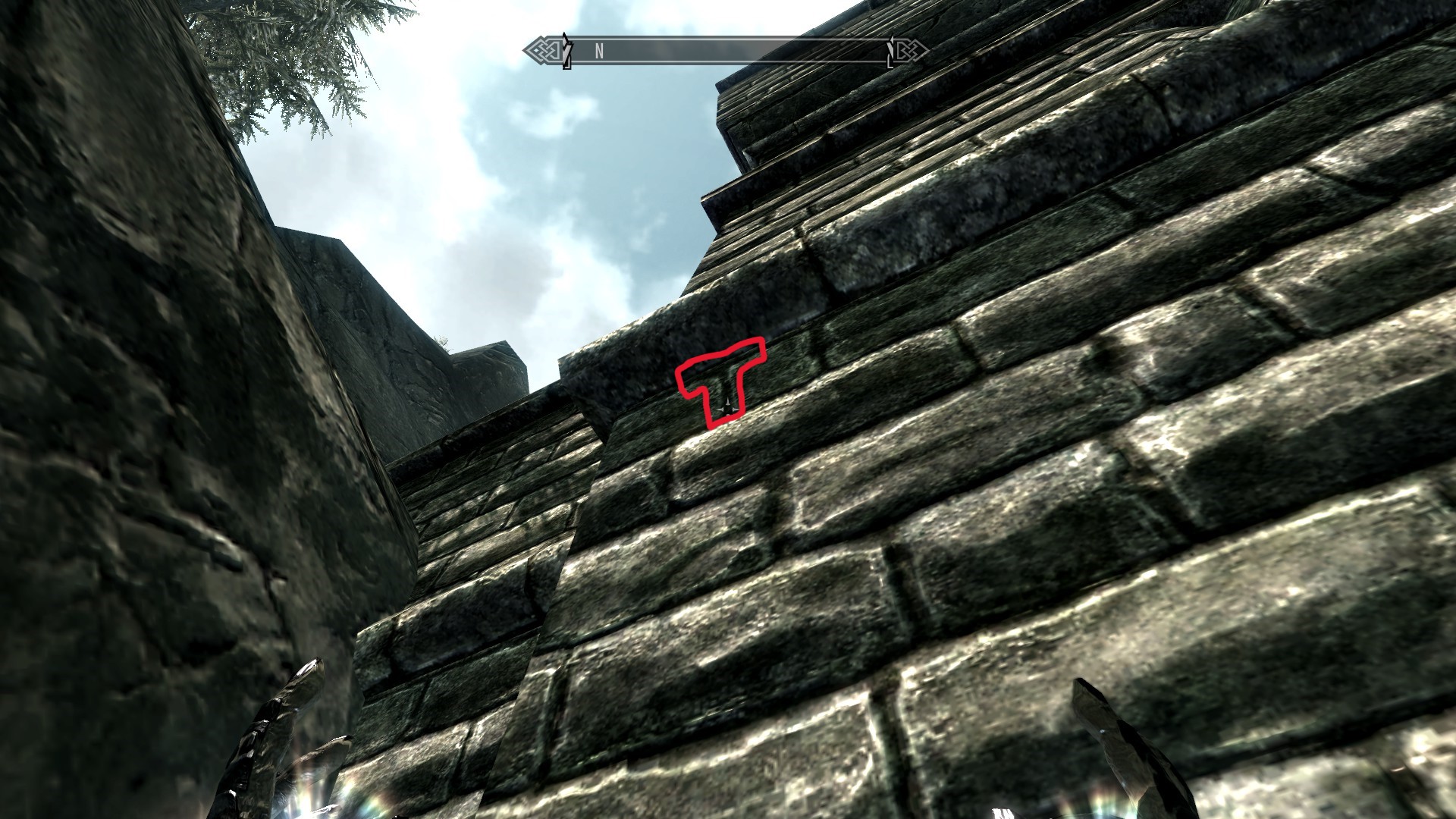
To get the right angle we're going to crouch, and then line up the center of our crosshair with that mortar line (optimal line is the top left corner of the brick one to the right, but there's some leeway).
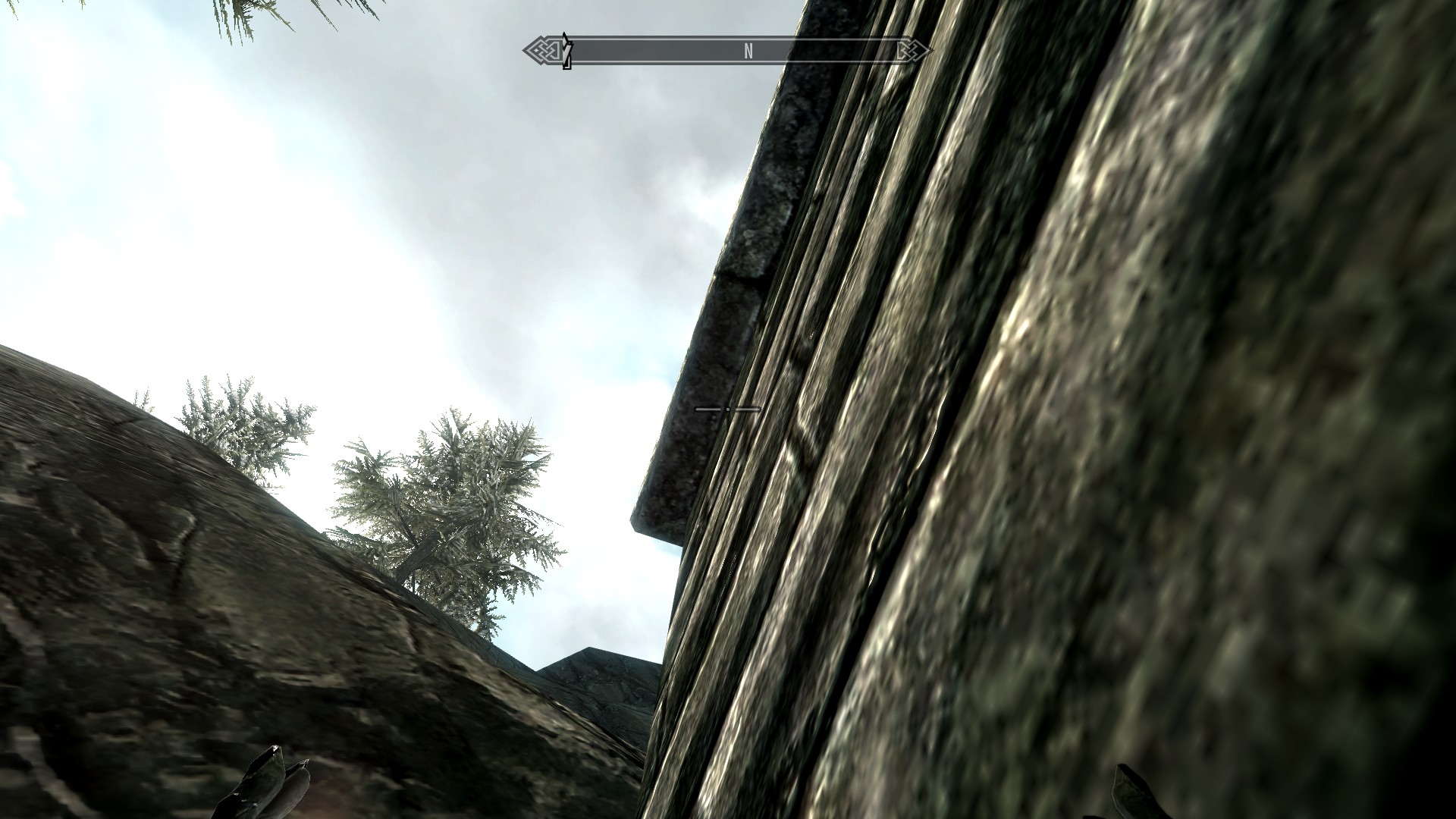
We're then going to strafe forward and left so we're pressed up against the invisible wall the whole time, keeping our angle consistent. This will show the two lines of the castle wall from the different pieces.
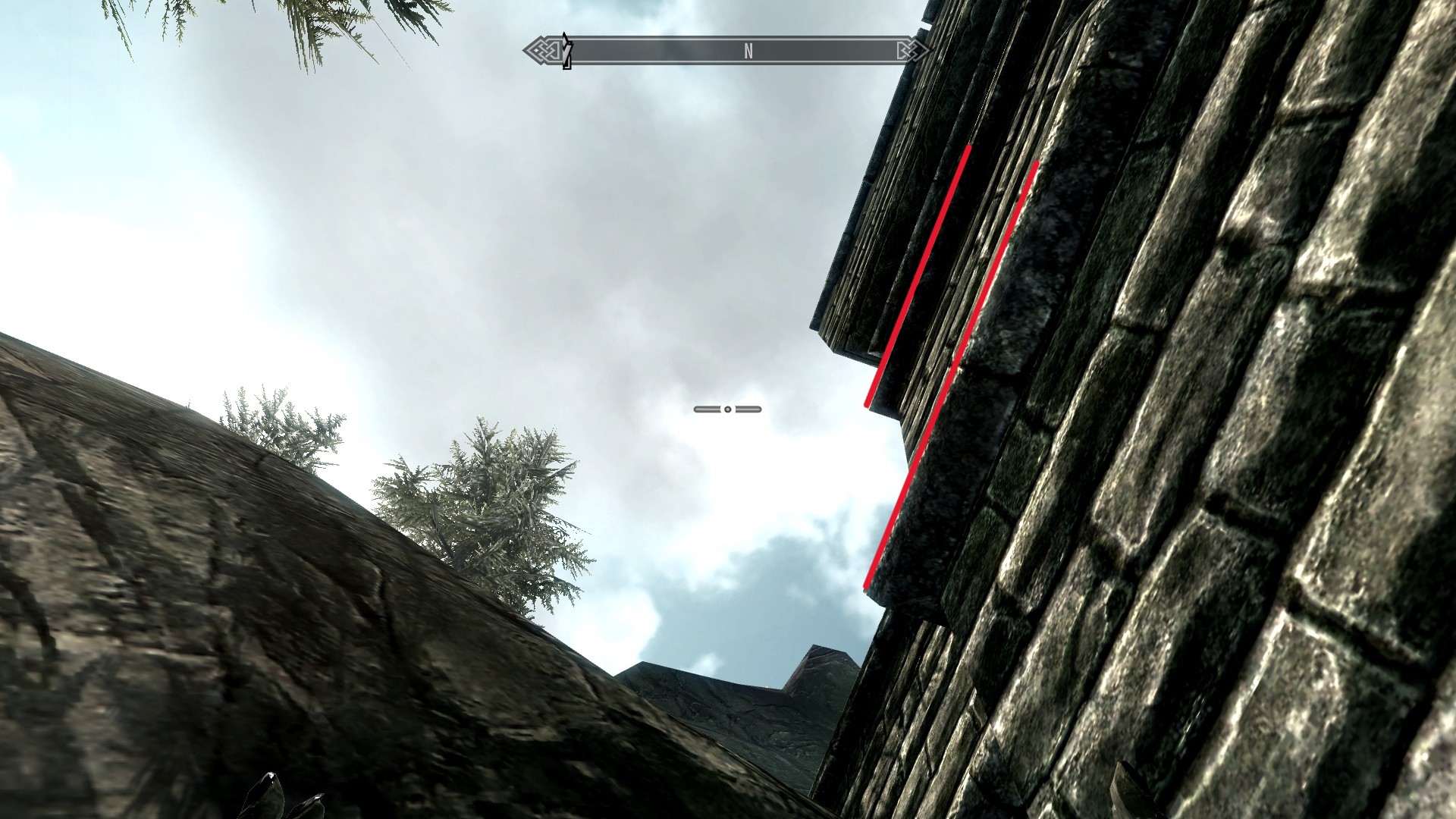
Our goal is to strafe back until the second line has just been hidden again. At this point you should be staring at a seemingly random patch of sky.
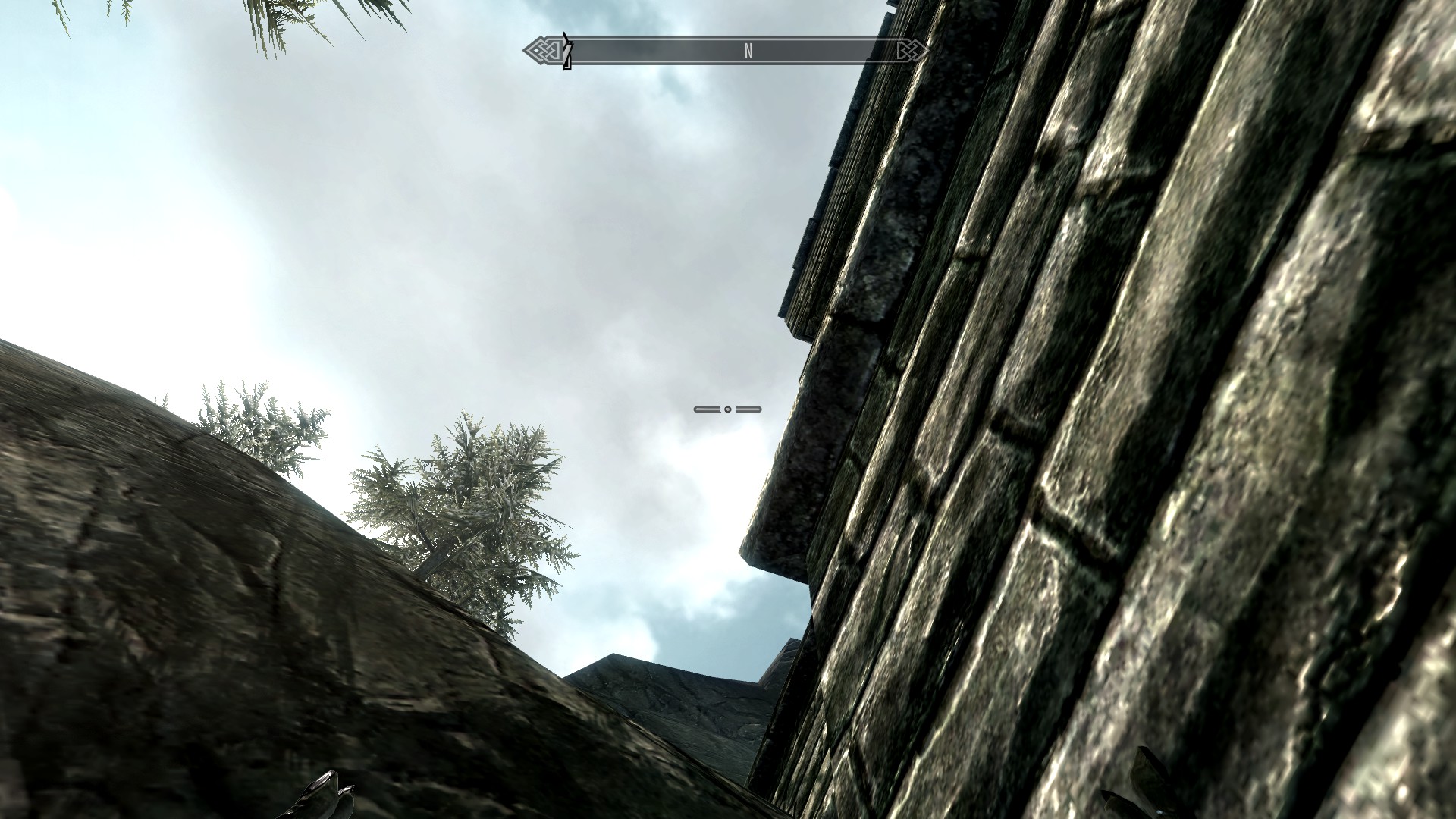
Cast away!
15
 I got to level 100 in 17 casts in 1 minute and 15 seconds. If you'd prefer a video walkthrough, I uploaded one to YouTube.
16
I used Claude's computer use for the first time to build in support for the Skyrim-themed UI popups in DaVinci Resolve and watching it work was yet another "this is magic" moment. Perfect for one-offs.
I got to level 100 in 17 casts in 1 minute and 15 seconds. If you'd prefer a video walkthrough, I uploaded one to YouTube.
16
I used Claude's computer use for the first time to build in support for the Skyrim-themed UI popups in DaVinci Resolve and watching it work was yet another "this is magic" moment. Perfect for one-offs.
With this, hopefully, hopefully, I'm done with Skyrim.
-
You may remember Lua (my favorite programming language downstream of Brazilian oil companies) from my previous post speedrunning Harry Potter 1 for the GBA. ↩︎
-
I swapped to using the VEH debugger with
Edit >Settings >Debugger method , though I'm not sure that's necessary. ↩︎ -
And yes, this means that the collision check rate is lower if you're playing on old Xbox consoles, and higher if you've cranked this above the normal value. It also goes higher if you use the Slow Time shout or use the Archery/Block perks to slow time, though collisions/s stay the same. ↩︎
-
Again determined by the ESM file, though it wasn't in the above screenshot crop. Whoops. ↩︎
-
It does this by checking if the dot product is positive or negative. Yay math! ↩︎
-
Like wards blocking spells at
0x006ECE30or targets getting knocked back by Destruction spells at0x006E99D0. ↩︎ -
Technically a magic target, which also includes stuff like activation triggers. ↩︎
-
Actually not like Magelight, just Magelight. Technically it's all Reanimate and Light spells, but all of the Reanimate spells override this location to just grant XP when you raise the body from the dead, and the only other Light spell is Candlelight, which isn't a projectile. ↩︎
-
To be more specific,
BROAD_PHASE_PHANTOMfrom Havok's collision code, which is used for triggers (stuff like "if you walk here activate the trap/cutscene/dialogue"). This check happens at0x0079f022. ↩︎ -
This exemption is at
0x0079f063if you'recuriousfuture me looking for proof. ↩︎ -
Ï made the walls visible using a quick mod built off of the Skyrim Creation Kit, but you can do the same thing with .esm tweaks to add a debug color for the collision layer. ↩︎
-
The top of the mountain gives ~280 triggers vs. ~850 in the optimal place.
↩︎ -
And I mean quickly, Claude Opus 5.5 two-shot the mod in about 10 minutes with only one screenshot to show what was wrong. ↩︎
-
A lot of math also found the 'optimal' location, but it was underground and inaccessible. Ideal. ↩︎
-
I used Claude's computer use for the first time to build in support for the Skyrim-themed UI popups in DaVinci Resolve and watching it work was yet another "this is magic" moment. Perfect for one-offs. ↩︎
vk
Hey man, this is your third Skyrim post in a row. You good?